SNB Production WorkflowGuideScheduling A Delivery
Scheduling A Delivery
Booking a job onto a day, and walking it out of the factory.
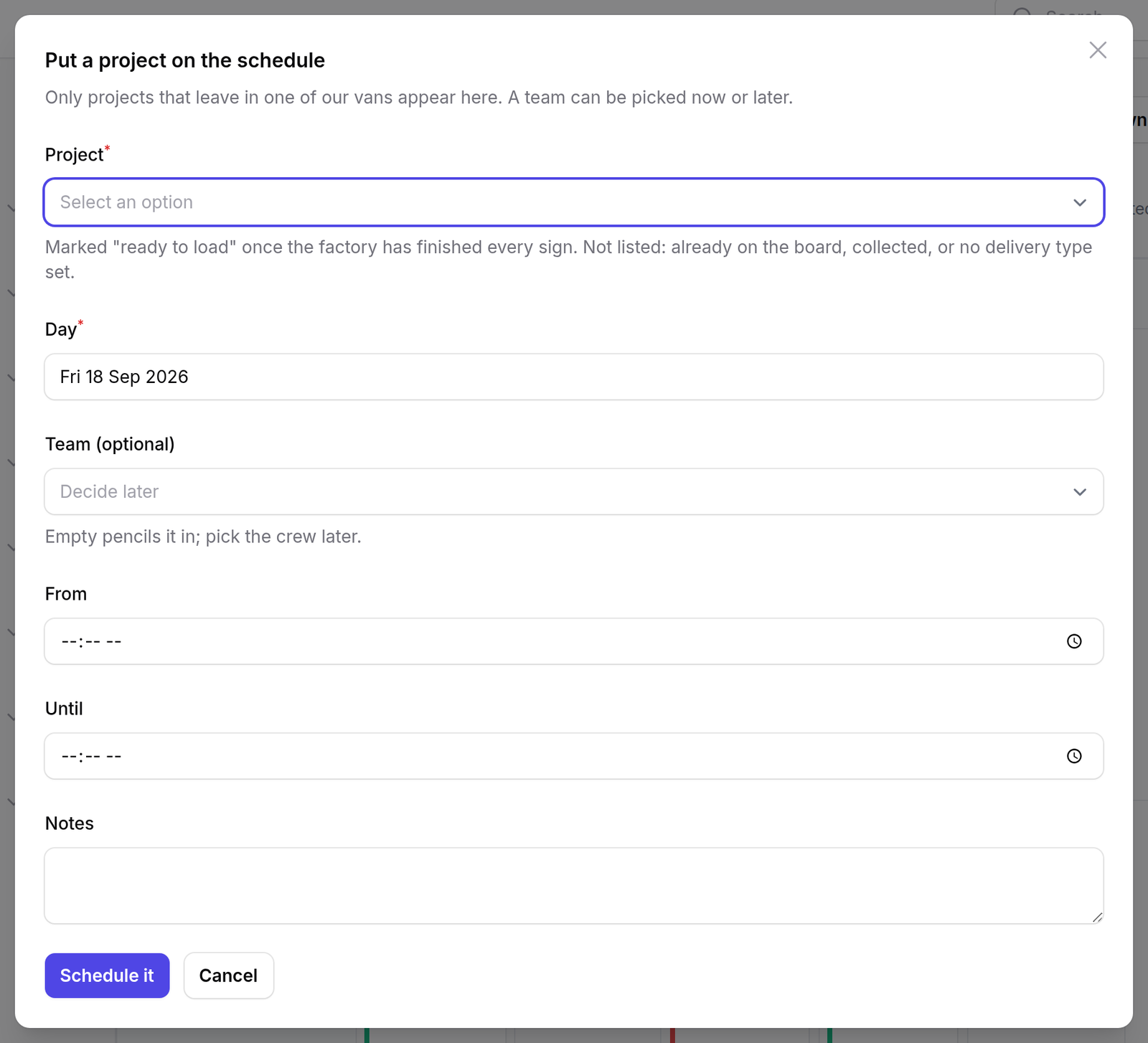
Schedule a delivery is at the top of the delivery board.
A job is offered here when it is not closed, cancelled or already delivered, and has no open trip. Deliberately not “when production has finished” — a sign is often delivered in stages, and a job with an open trip is not offered twice.
1Booking it
| Field | |
|---|---|
| Project | the job. Its site address comes with it. |
| Day | required |
| Team | optional — leave it and the trip sits in Unassigned |
| From / Until | an optional time window |
2Walking it out
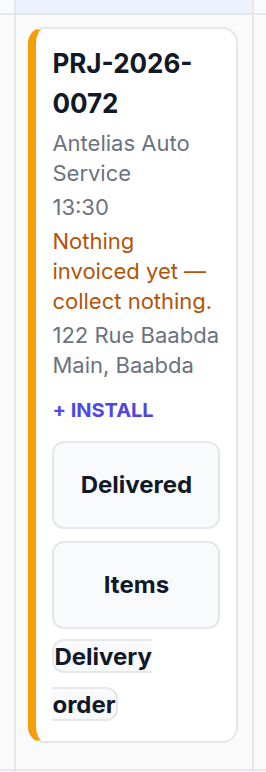
The card offers exactly one move at a time.
| Move | What it means |
|---|---|
| Accept | the crew has taken the job on |
| Out | the vehicle has left the yard |
| Delivered | it is done |
Accepting is a separate act from booking.
Whoever books the week is usually not the person who drives. Accept is the crew saying yes, this is ours — and the record keeps that as a different name and a different time from whoever pencilled it in.
Two checklists can block the ladder.
Out can refuse until a Dispatch & Safety checklist is signed. Delivered can refuse until an Installation checklist is signed.
Both gates are skipped entirely when no such checklist has been set up. That is why one site meets them and another never does — and why “it works on my machine” is a real answer here. Check Inspection forms for which checklists exist.
What happens next
The last rung has a page of its own, because it is the one button in the system that cannot be undone — see Marking a delivery as delivered.
It asks who physically went out: a name from the team, which can be left as Not recorded.
Who went out and who typed it in are two different records.
Most crew have no login. The person in the van is recorded as a team member; the person at the keyboard is recorded as the user. Conflating them would put a manager’s name on a trip they did not make.
Then the job is settled: its status moves to delivered and its Delivery step is completed. That last part is best-effort — if the step refuses, the trip still stands, because the van has been and gone either way.
If it goes wrong
The job is not in the list. It is closed, cancelled, already delivered, or it already has an open trip.
“Out” will not work. A dispatch checklist is configured and has not been signed for this trip. The card offers it.
The address is wrong or missing. It comes from the job. A job with no site address is refused at booking rather than discovered on the day.
It was delivered but the job still says in production. Settling is best-effort. The trip is recorded; the step can be completed by hand from Acting on a step.