SNB Production WorkflowGuideAdjustments
Adjustments
Correcting the recorded quantity when it no longer matches what is on the shelf — and saying why.
An adjustment changes stock without a transfer, a purchase or an issue behind it. It is what you use when the number in the system and the number on the shelf have come apart — breakage, spoilage, a miscount, an error being put right.
Every adjustment carries a Type and a Reason, and neither is optional decoration.
Stock that simply changes with no explanation is indistinguishable from theft or from a bug. The type is what lets somebody later ask “how much did we write off last quarter” and get an answer, and the reason is what stops that answer being a mystery.
1Open the list
Go to Inventory → Adjustments.
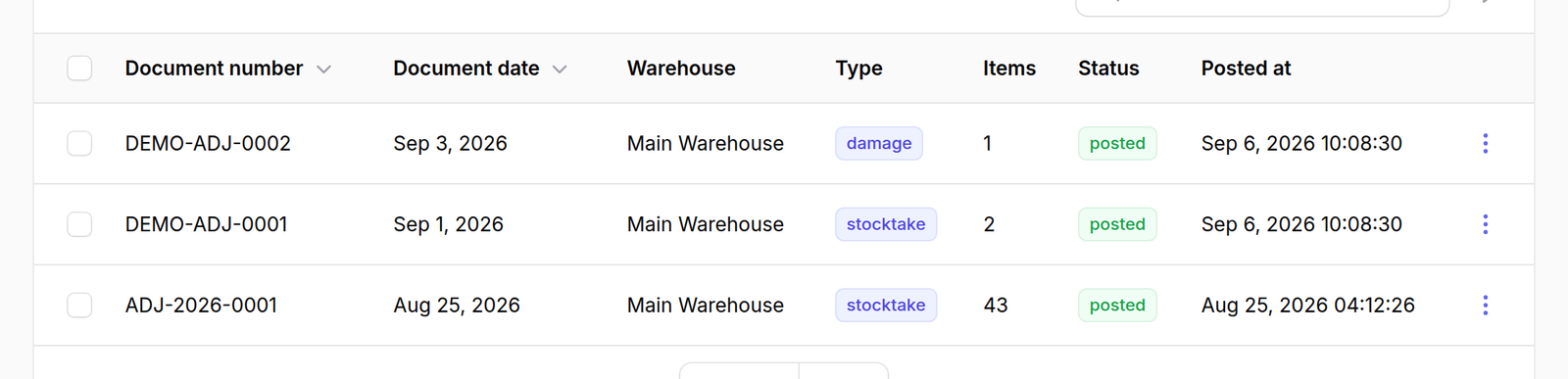
The columns are Document number, Document date, Warehouse, Type, Items, Status and Posted at.
Items is how many lines the adjustment carries. Status is draft or
posted, and as everywhere in Inventory, nothing has changed until it is
posted.
2Press New adjustment
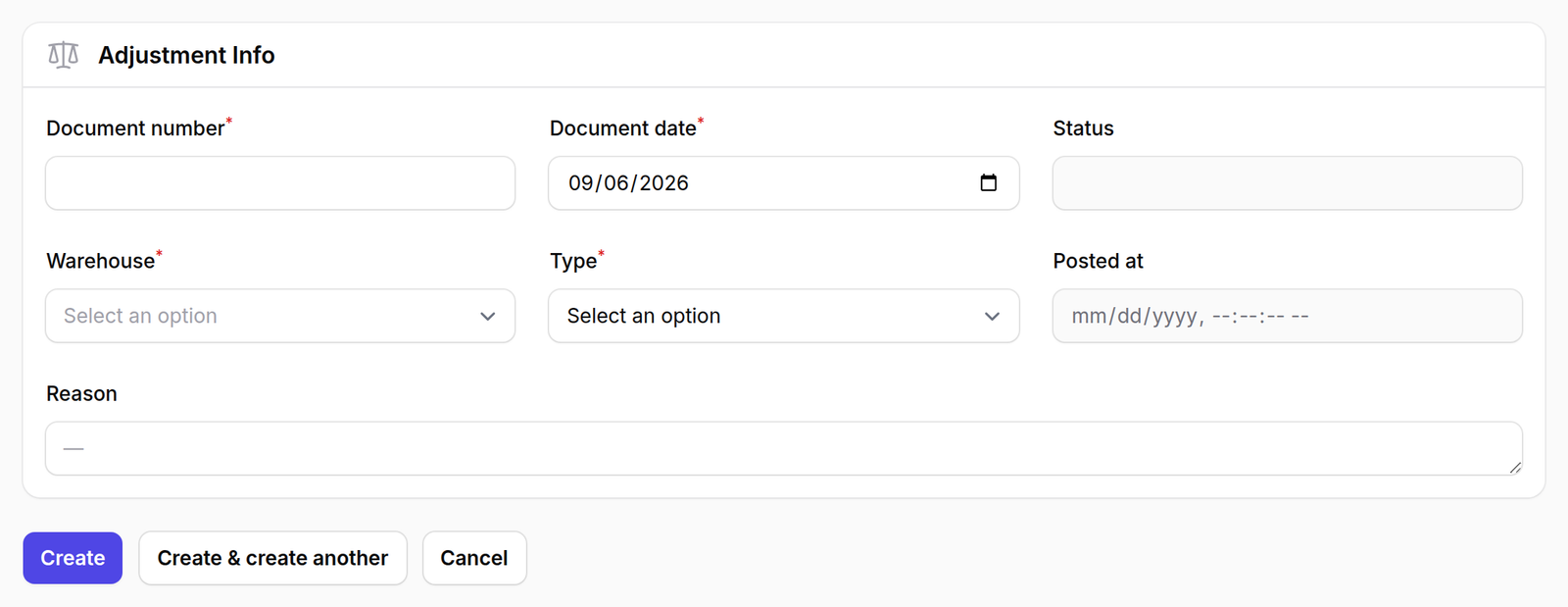
The form asks for a document number and date, the Warehouse being adjusted, and a Type chosen from five:
- Stock Take / Physical Count — the count disagreed with the record
- Waste / Spoilage — material that perished
- Damaged Goods — material broken
- Write Off — stock being removed from the books
- Correction / Error Fix — a previous entry was wrong
Reason is free text, and it is the field somebody will read months later.
What happens next
Add lines for the items being adjusted, then post it.
An adjustment can move stock up as well as down. A physical count that finds more than the record expected is corrected the same way.
That is also why the type matters: an increase filed as “Damaged Goods” is a sentence that cannot be true, and it will confuse whoever audits it.