SNB Production WorkflowGuideA Workflow Template
A Workflow Template
The plan every job of a type is built from — edited by drawing it, on the same canvas a job's own flow uses.
A template is a starting guess, not a routing. SNB has no production line: every job’s chain is shaped on its own production flow before the floor sees it, and the template is where that shaping starts from.
The page says so under its own heading:
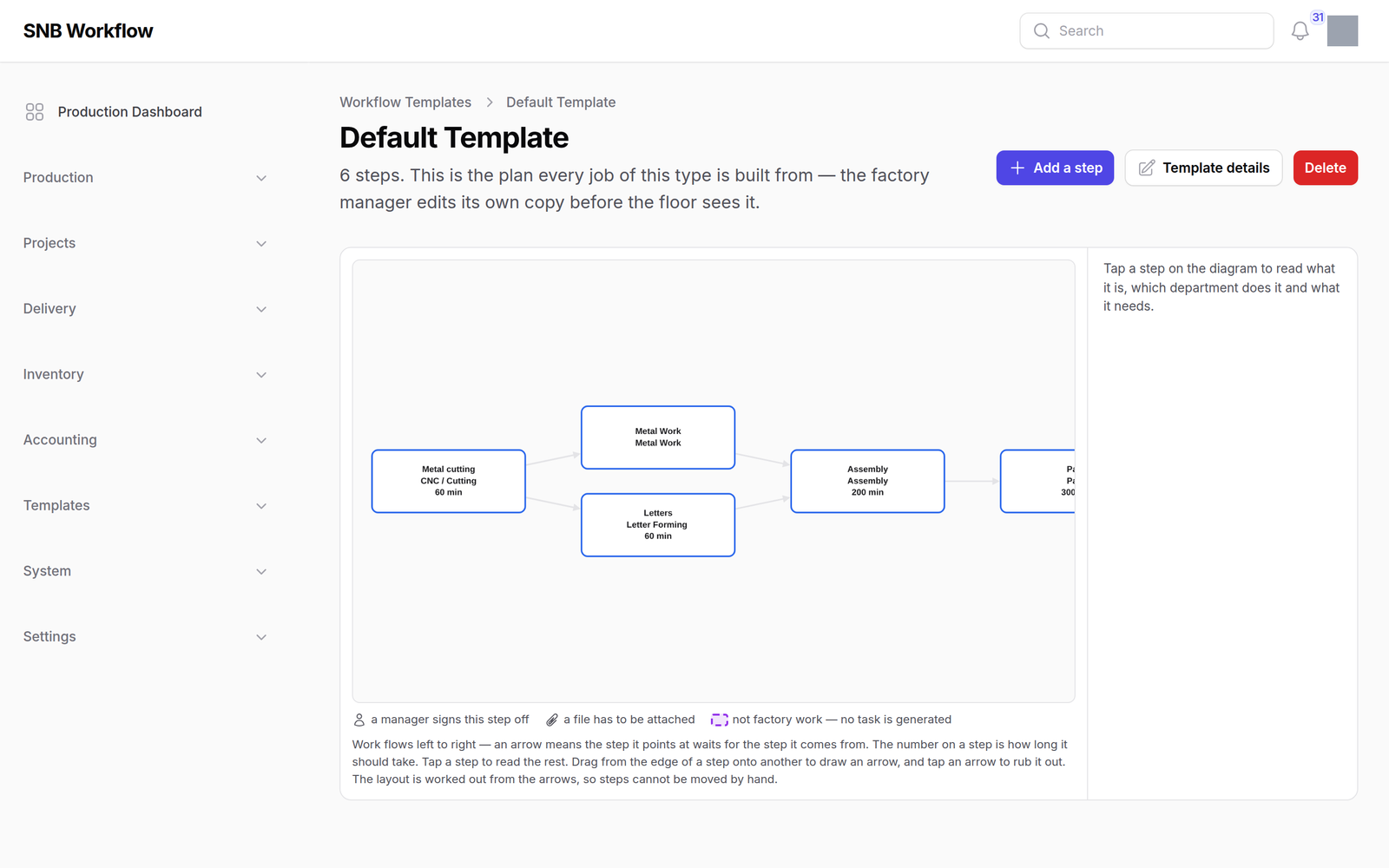
6 steps. This is the plan every job of this type is built from — the factory manager edits its own copy before the floor sees it.
Go to Templates → Workflow Templates and open one. Opening it is editing it — there is no separate edit screen.
1Read the flow
The same canvas as Production → Reading the flow, on purpose: a template is the plan and a job’s flow is the thing made from it, so they are the same picture at two moments. Somebody who has learned one already knows this one.
The legend carries one entry the job’s own flow does not:
not factory work — no task is generated
A template can name steps that are not factory work — design, its approval, delivery. Those happen on their own screens and are run from them.
Only departments with a kiosk screen generate a task. Of the fifty-six steps across the templates as they were, twenty-three were not factory work and were being generated anyway.
Template details opens the template’s own four fields. Add a step is in the header.
2Add or edit a step
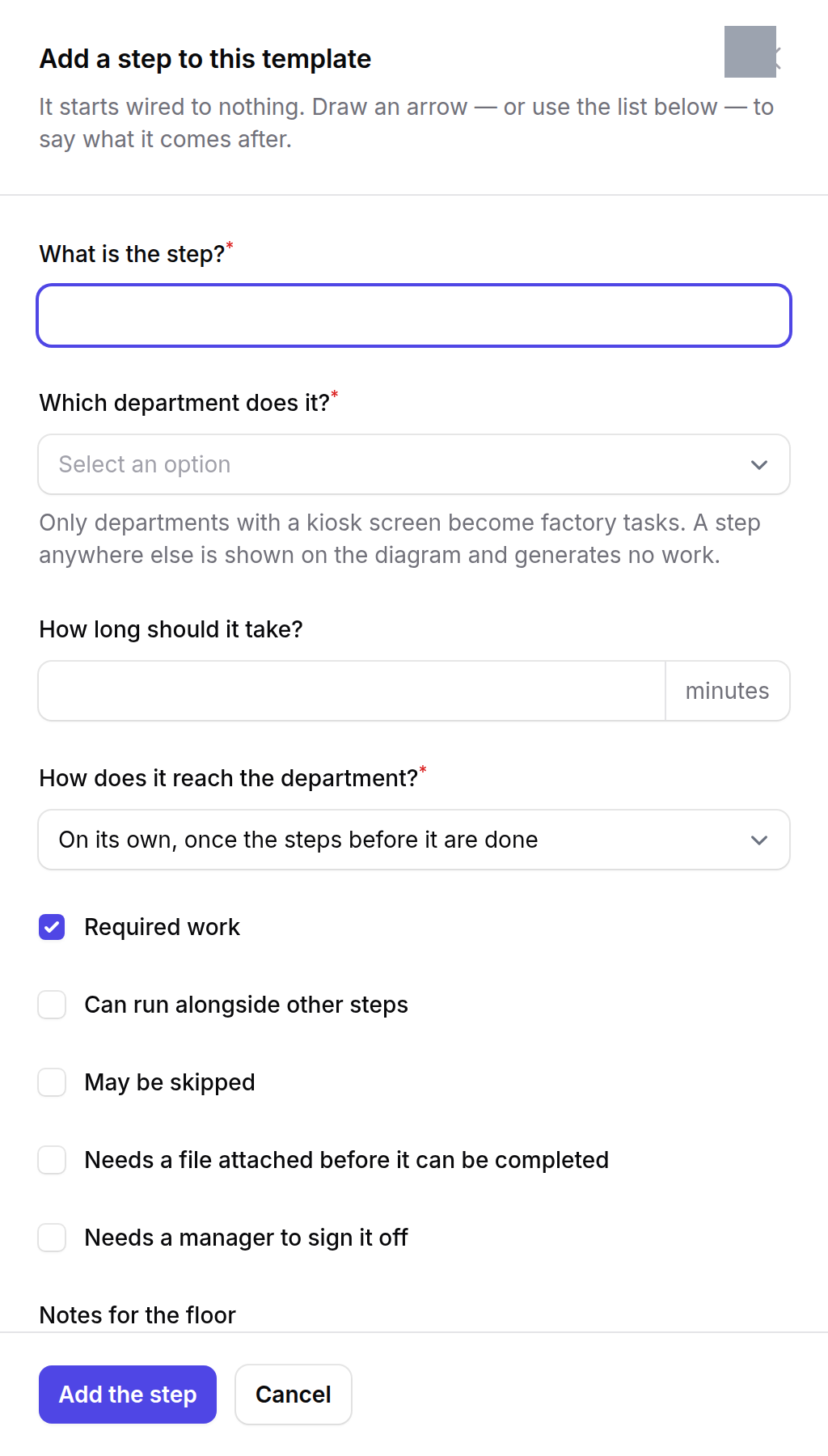
The form asks in the template’s own words:
- What is the step?
- Which department does it?
- How long should it take?
- How does it reach the department? — on its own, or waiting for a manager
- What has to finish first?
Plus the flags: required work, can run alongside other steps, may be skipped, needs a file attached, needs a manager to sign it off, and notes for the floor.
What has to finish first is a picker now, and it used to be a text box.
The old screen asked for “Depends On (sort orders, comma-separated)” and nothing checked that a number named a step that existed. Task generation silently drops a dependency that matches nothing — so a typo produced a template that looked fine and generated a chain with a missing edge, on every job of that type, with a step starting earlier than anybody intended.
The diagram that used to sit beside the table was worse than absent.
Where a step had no prerequisites it drew an arrow from the previous step by sort order. The generator does no such thing. The picture showed a chain the data did not have.
What happens next
Changing a template changes what future jobs are built from. It does not touch a job whose chain has already been generated — that is what the job’s own production flow is for.
If it goes wrong
| What you see | What it means |
|---|---|
| A department is not offered | It has no kiosk screen. A step nobody can pick up is not a step. |
| The step count and the diagram disagree | They cannot — both are read from the same rows. Reload before assuming. |
| A job of this type came out with a step missing | Check what that step waits for. A dependency naming nothing is dropped silently at generation. |
| No Add a step | Your role cannot edit templates. |