SNB Production WorkflowGuideWhen someone leaves
When someone leaves
Switching an account off is almost always the right answer. Deleting it is for accounts that should never have existed — and even then, less is removed than you might expect.
You need an administrator account, and you need to have decided which of two things you are doing:
- Somebody has left, or is away. Switch the account off. Their name stays attached to everything they did, and the account can be switched back on.
- The account should never have existed — a duplicate, or a typo. Delete it.
For a real member of staff the answer is nearly always the first.
1Open their account
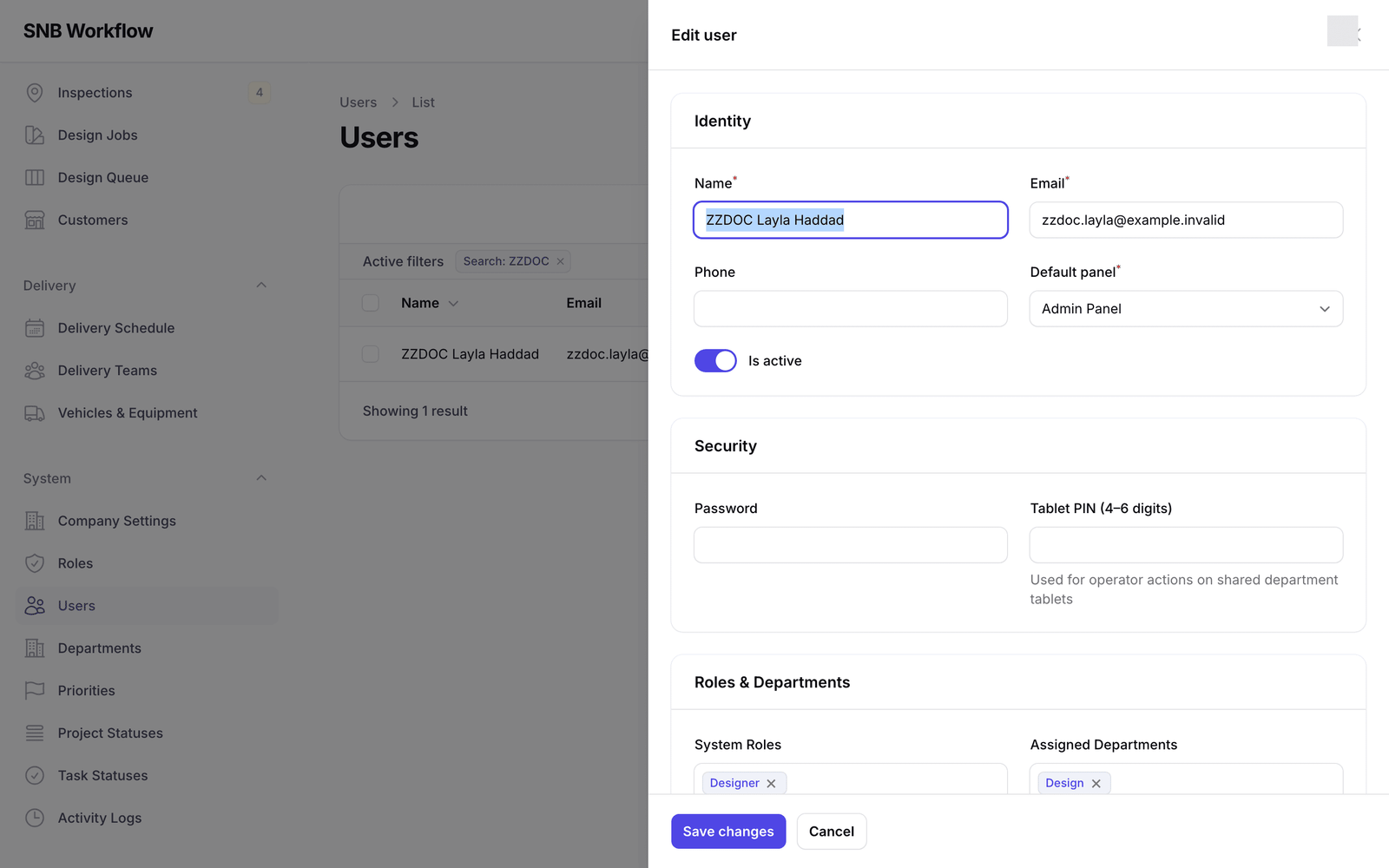
Open Users under System, find the person, and click Edit on their row.
2Switch the account off
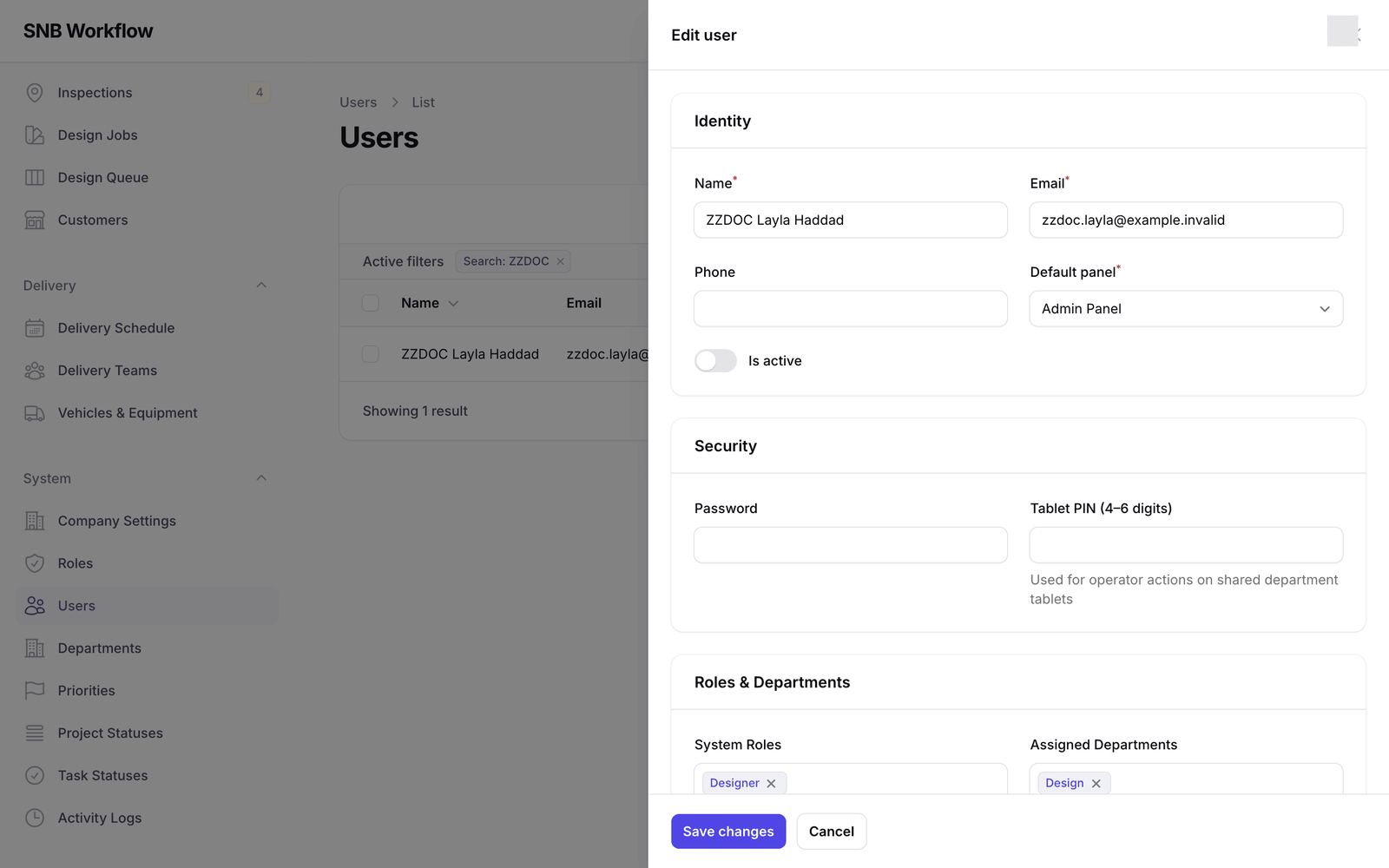
In the Identity section, turn Is active off.
The account still exists and everything they ever did still carries their name. They simply cannot sign in.
This is the option to reach for, and it is worth knowing why.
SNB records who did what — who started a job, who inspected it, who approved a design, who took a delivery out. Those records point at the person’s account. Keeping the account keeps the name on the work.
If somebody comes back six months later, you switch the account on again and they carry on. Nothing was lost and nothing has to be rebuilt.
 2
2
3Save
Click Save changes.
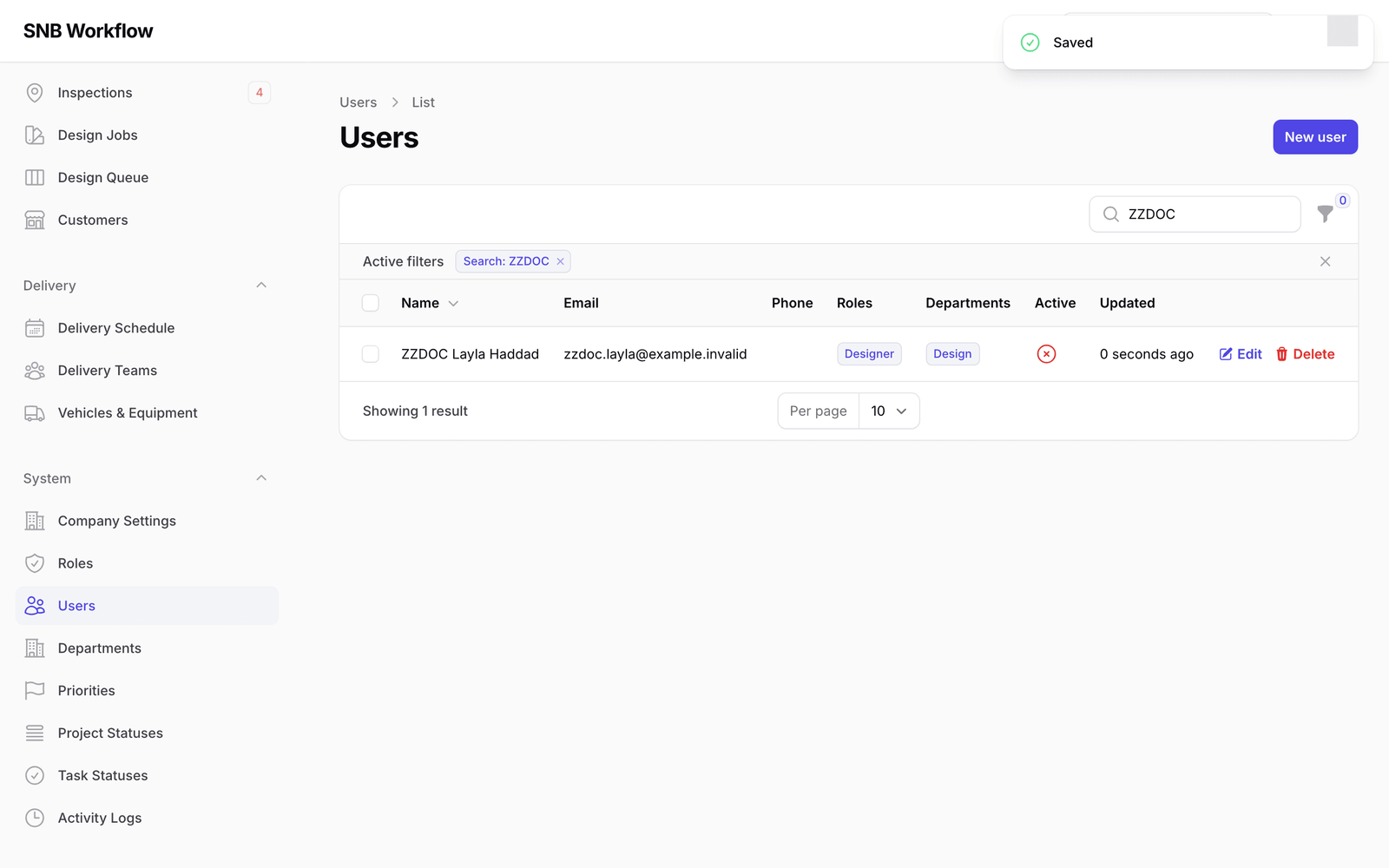
Back in the list, the Active column now shows a cross for that person instead of a tick. That is the whole change, and for somebody who has left it is where you stop.
4If you must delete it instead
Only for an account that should never have existed.
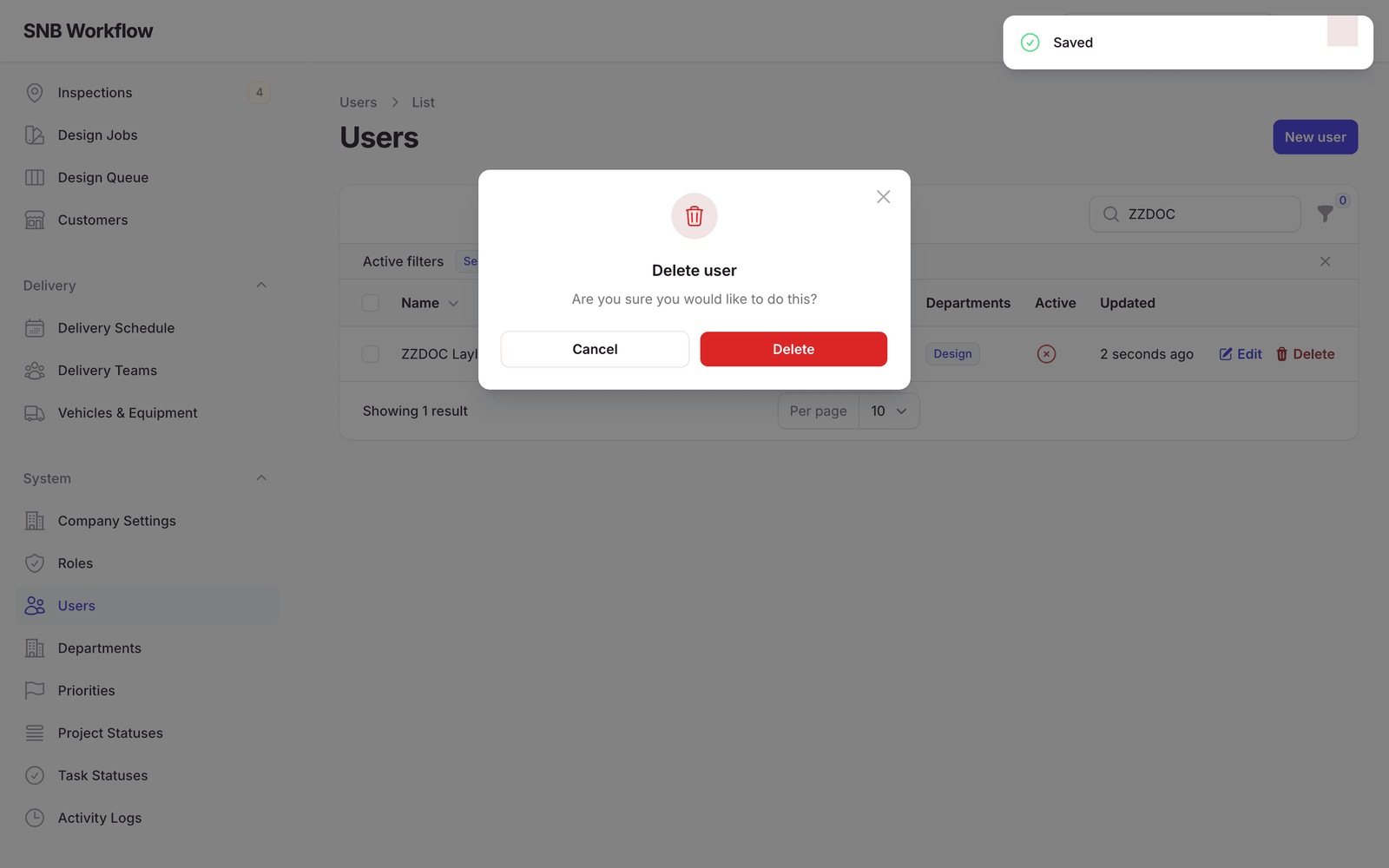
Click Delete at the end of the row. A dialog headed Delete user asks “Are you sure you would like to do this?”, offering Cancel and Delete.
5Confirm
Click Delete.
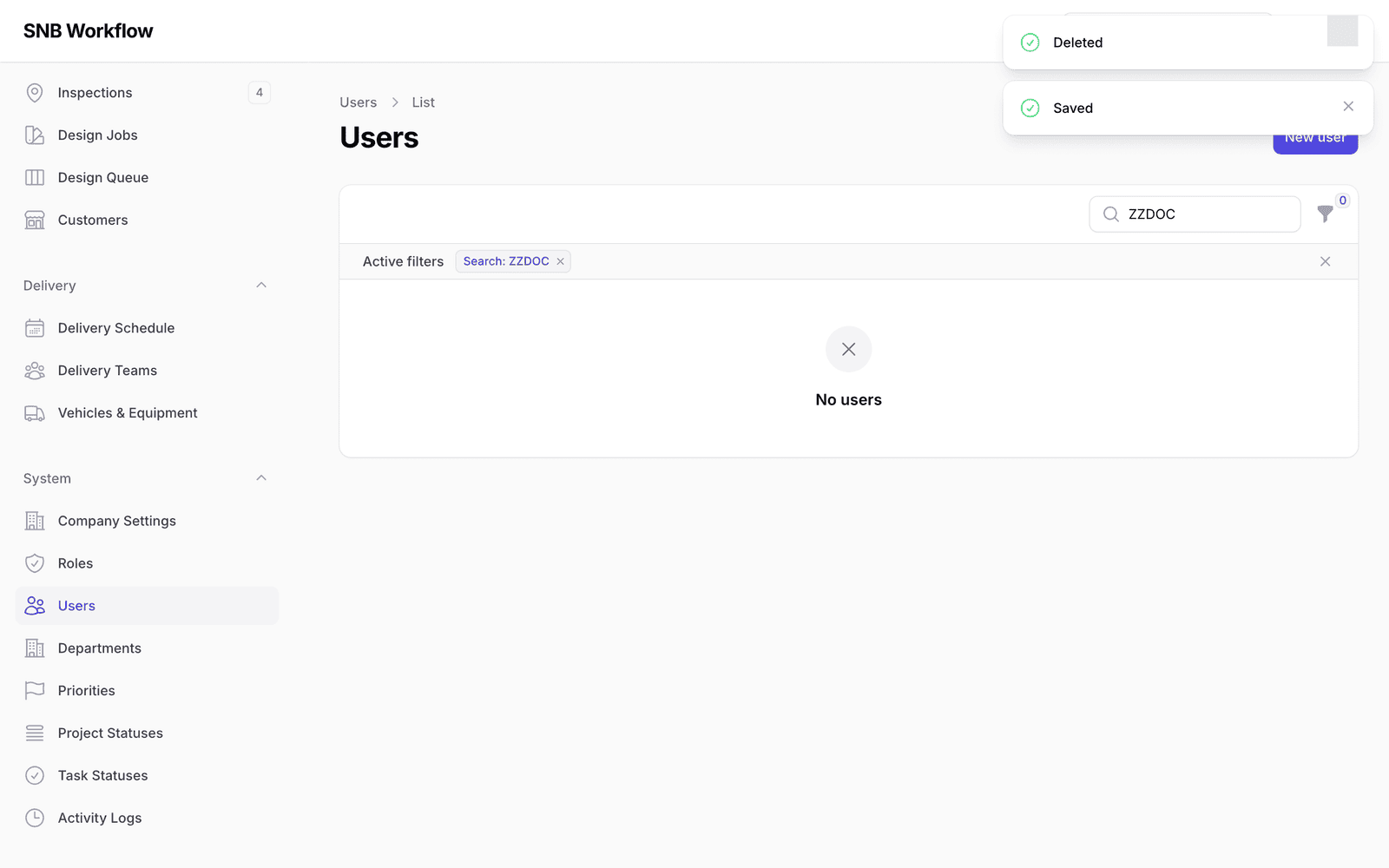
The row disappears from the list.
What happens next
Two things will surprise you if nobody says them, so here they are.
The account is hidden, not erased. The row leaves the list, but it is still there. The filter control above the table has a setting for showing removed accounts, and switching it to With trashed brings them back into view. If you delete somebody by mistake, this is where they are.
The activity trail keeps its record, without the name. SNB keeps a log of significant things people did. Entries made by a deleted account stay in that log, but the name is no longer attached to them.
That second one looks like a fault and is the opposite.
The trail exists so that questions like “who moved this delivery, and why” have an answer months later. If deleting an account also deleted its history, anyone could erase what they had done by removing their own account — and the record would be least reliable exactly when it mattered most.
So the entry stays and the link to the person goes. An entry with no name attached means this account has since been removed, not the system lost track of who did this.
Because deleting is quiet — no error, no summary of what was affected — it is a poor way to tidy up. Switching an account off is visible, reversible, and says something true about the person. Use it.
If it goes wrong
| What you see | What it means |
|---|---|
| You deleted somebody by mistake | They are not gone. Use the filter above the table to show removed accounts and restore theirs. |
| The person can still sign in | The change was not saved. Reopen the account and check that Is active is off, then Save changes. |
| Entries in the activity log with no name against them | Expected. That account was removed. The record of what happened is intact; only the link to the person is gone. |
| You are not sure whether to switch off or delete | Switch off. It is reversible, and you can always delete later. Deleting first and changing your mind is the harder direction. |