SNB Production WorkflowGuideWhere A Problem Goes
Where A Problem Goes
Four different things write to this list, and only one of them is a person pressing a button.
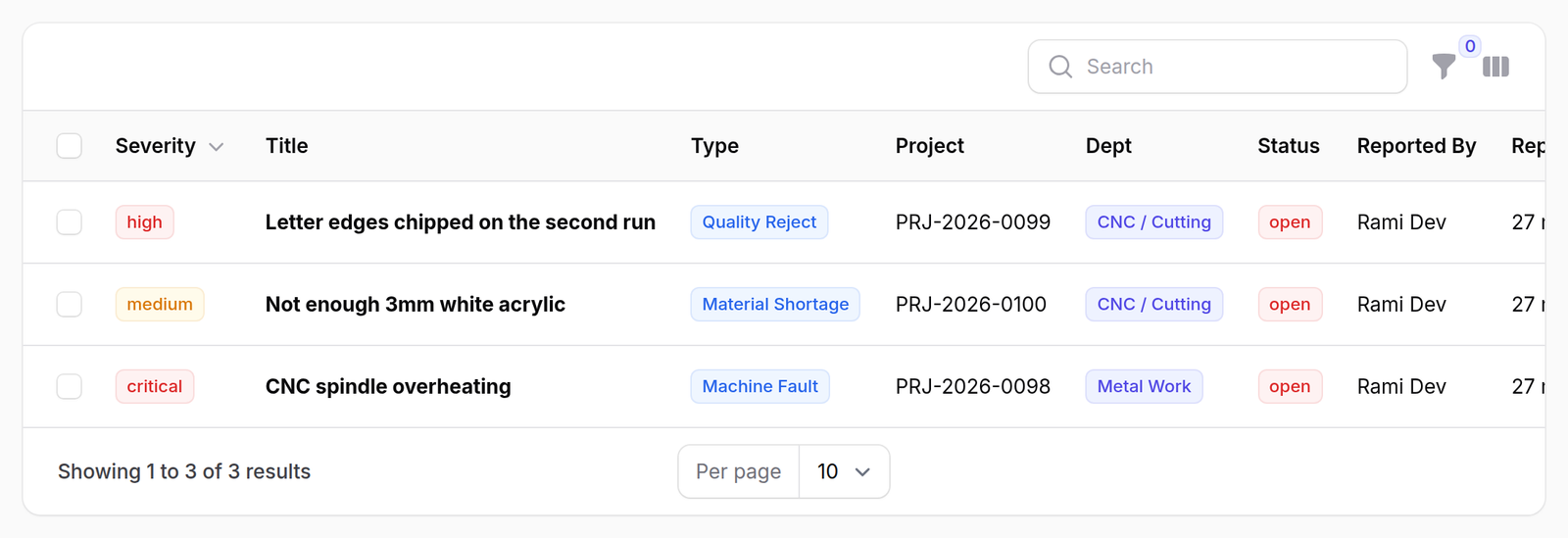
This is the office side of the kiosk’s report a problem button. Find it under Production → Issues; the red number is how many are open.
1The list
Severity first — critical, high, medium, low — then the title, the kind, the job, the department, the status and who has it.
The job can be empty. A shortage raised against a stock transfer is not about a job at all, and the column says so rather than leaving a gap.
2The four ways an issue gets here
Only the first is somebody deciding to report something.
| Raised by | When |
|---|---|
| an operator, at the kiosk | they press report a problem; it asks for their PIN, so the record carries a name |
| the waste rules | a job passes the limit set for a waste type, and an issue is opened automatically |
| the stock check | material is issued that the system did not think was there |
| an office user, here | the form below |
A stock shortage is a warning, not a refusal.
When stock goes short the material still leaves the store and the job carries on. The issue exists so that somebody finds out. If you are reading one of these, the movement already happened.
Two of the kinds cannot be chosen by a person.
Waste over limit and stock short appear in the list but never in the form, because they are conclusions the system draws rather than descriptions somebody offers. You will see them; you cannot file them.
3Reporting one from the office
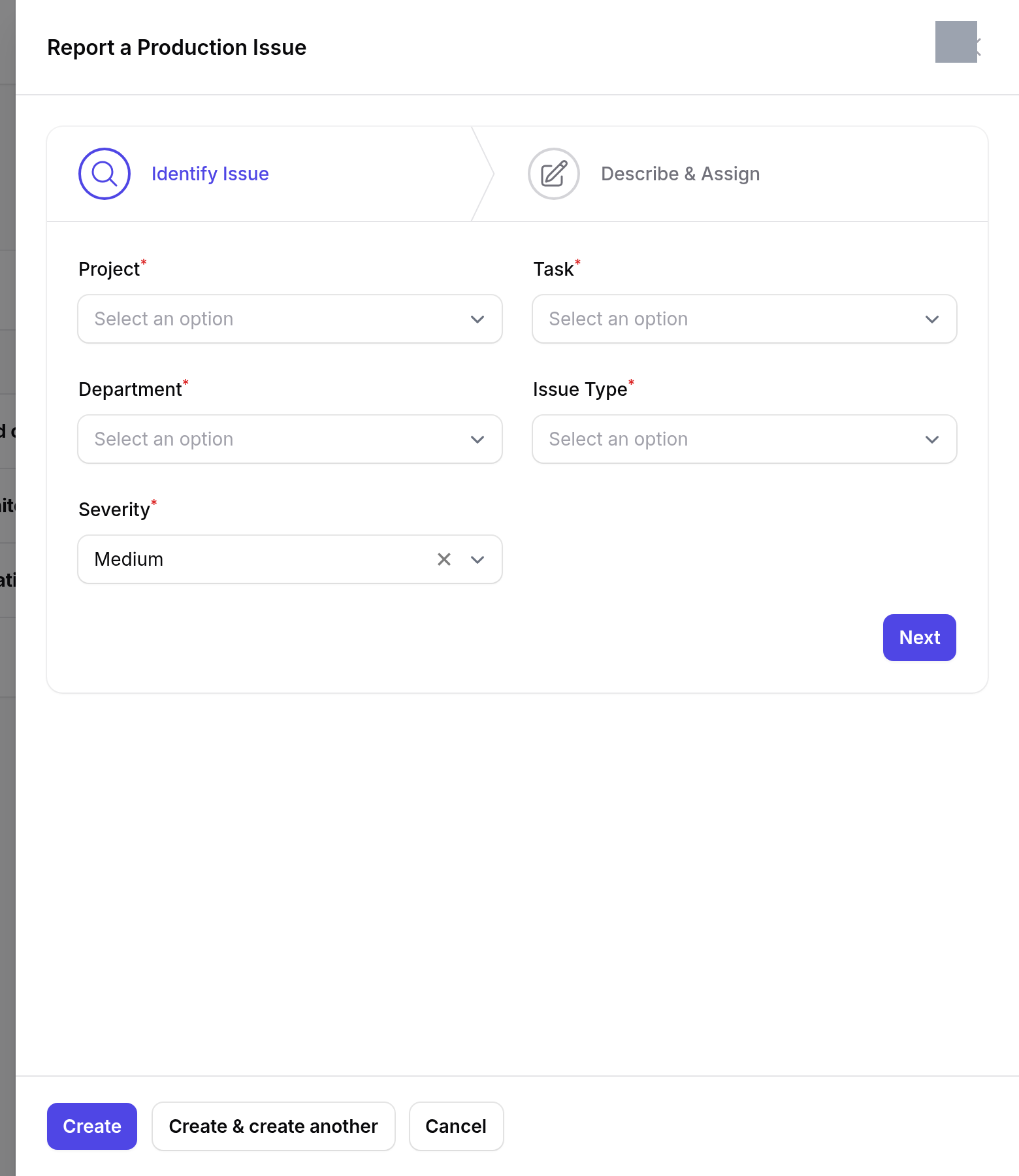
Report New Issue opens a form in two steps.
Identify — which job, which step, which department, what kind of problem, and how bad it is.
Details — a title, a description, who should pick it up, and the status to start it at.
What happens next
Raising an issue notifies people, and the link each person is sent points at the panel they can actually open — the same warning goes to a floor manager and to the procurement manager, and those two do not share a screen.
Nothing else happens. An issue does not stop a step, hold a job or block a release. It is a record that something is wrong and a way of putting it in front of somebody.
Working through them is Triage, resolve, close.
If it goes wrong
The same problem keeps appearing. It should not. A waste issue is opened once per job per waste type, and further entries are added to the one that is already open. Same for a shortage: one open issue per item.
You cannot resolve it from this screen. You cannot. This panel has an Edit panel and no verbs — see the next page, which is about the screen that does have them.
An issue names no department. It was raised somewhere that has none — a transfer rather than a workshop step.