SNB Production WorkflowGuideWho Signs What
Who Signs What
The screen that decides who can release every job in the factory. It looks like a settings page.
This is the most consequential screen in the application.
Re-pointing level 2 from one role to another changes who can release every job in the factory. It happens on a settings page, on a dropdown, and looks like nothing.
Every change here is recorded with its before and after.
Find it under Settings → Approvals.
1One tab per thing that needs approving
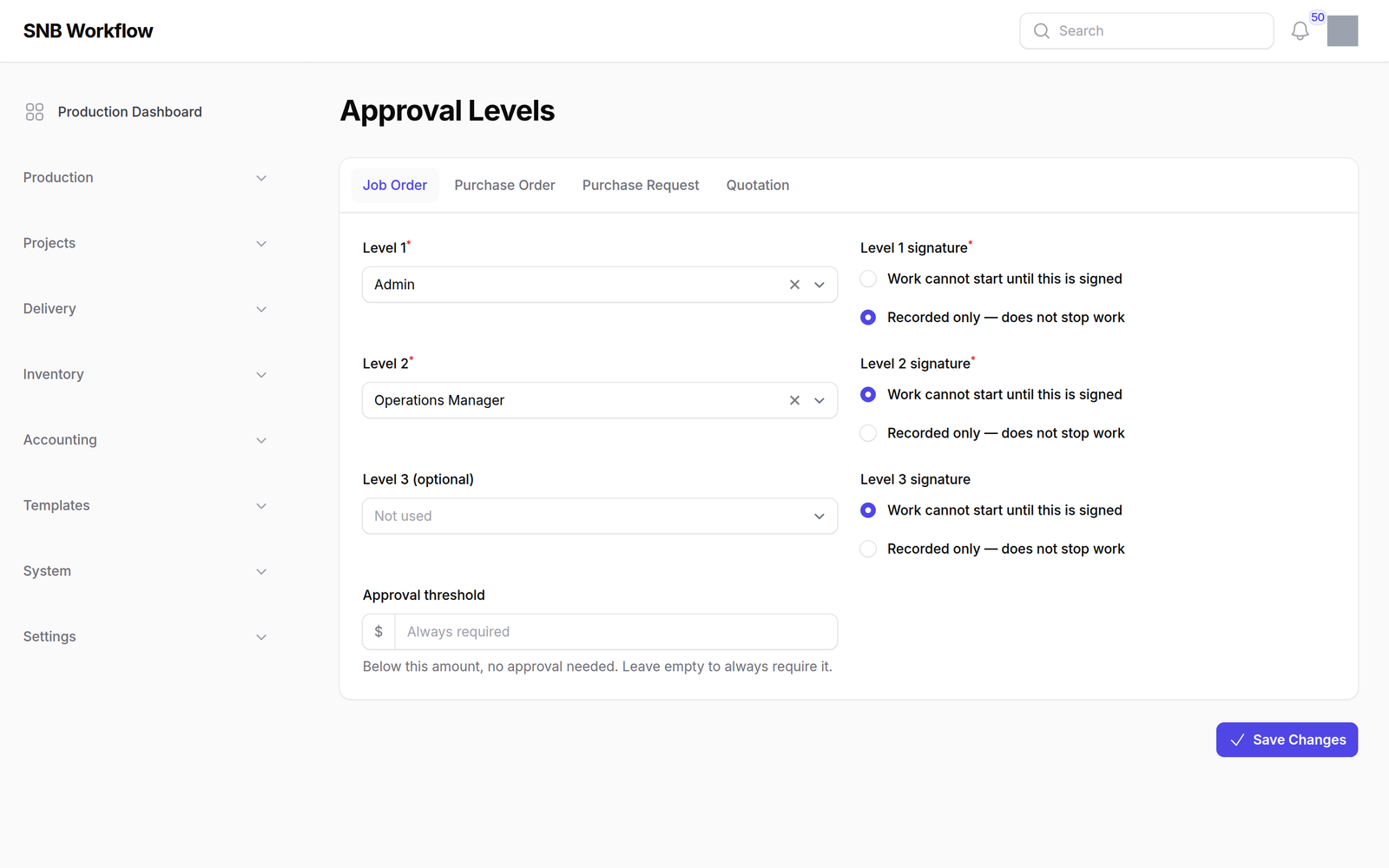
Job Order, Purchase Order, Purchase Request, Quotation. Each is configured separately.
Inside a tab: up to three levels, each naming a role, and a threshold.
| Level 1 and Level 2 | required |
| Level 3 | optional — leaving it empty means there is no third level |
| Threshold | below this value, nothing needs approving at all |
2Blocking, or recorded only
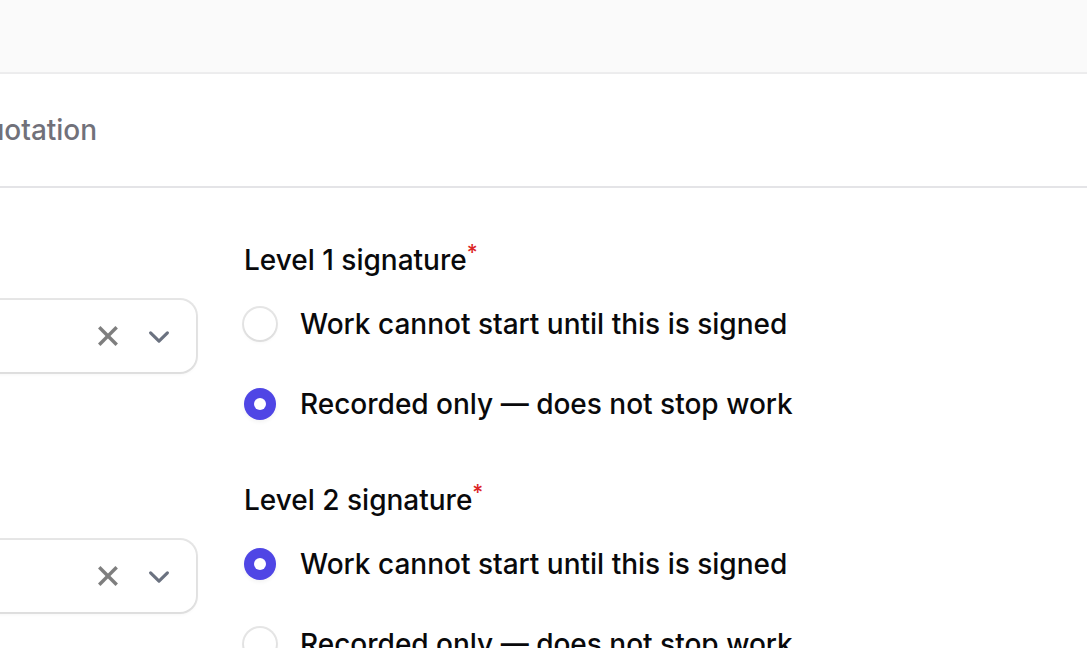
The choice that matters, in the screen’s own words:
| Option | What it does |
|---|---|
| Work cannot start until this is signed | blocking. The job waits. |
| Recorded only — does not stop work | asked for, and work does not wait. |
This is why a job can be building while its chain is unfinished.
Once the last blocking level has signed, the work is released. Any recorded-only levels after it are still asked for — an acknowledgement — but nothing waits on them. The project panel says “Approved for production. Still to acknowledge…” rather than “waiting”, so nobody chases a signature that is holding nothing up.
An empty threshold is not zero.
Empty means everything needs approving. Zero would mean the same thing by accident, and reads wrongly. Leave it empty rather than typing 0.
What happens next
Changing the chain does not touch cycles already in flight.
A job order submitted this morning under the old chain is still signed by the old roles this afternoon. Each cycle copies its roles and its threshold at submission.
So a change here applies to the next thing submitted, and the manual cannot tell you when that is.
The page also warns you about levels whose role nobody holds. That is worth more than it looks: such a level can never be signed, every job stops there, and nothing is broken — the engine refuses exactly as configured. It is the likeliest way this feature fails in real use, and a delegation does not fix it.
If it goes wrong
Everything has stopped and no button works. Look for a level here whose role has no active holder. Give somebody the role, or point the level at a role that has one.
You can open the page but not save. Reading the chain and changing it are two permissions. The whole form is disabled for a reader.
A level disappeared after saving. Emptying a level deletes it. “Level 3 is optional and left empty” is the absence of a level, not a level with nobody in it.
The change did not affect a waiting job. It will not. See the warning above.