SNB Production WorkflowGuideExpenses
Expenses
Money spent that is not stock — fuel, utilities, the things no warehouse ever holds.
An expense records money going out that does not arrive as material. Diesel for the generator, fuel for a delivery, the electricity bill.
It is a separate document from a purchase because nothing arrives.
A purchase increases stock; an expense increases cost and nothing else. Filing fuel as a purchase would put a quantity of diesel on a warehouse shelf that nobody can ever count or issue.
1Open the list
Go to Expenses.
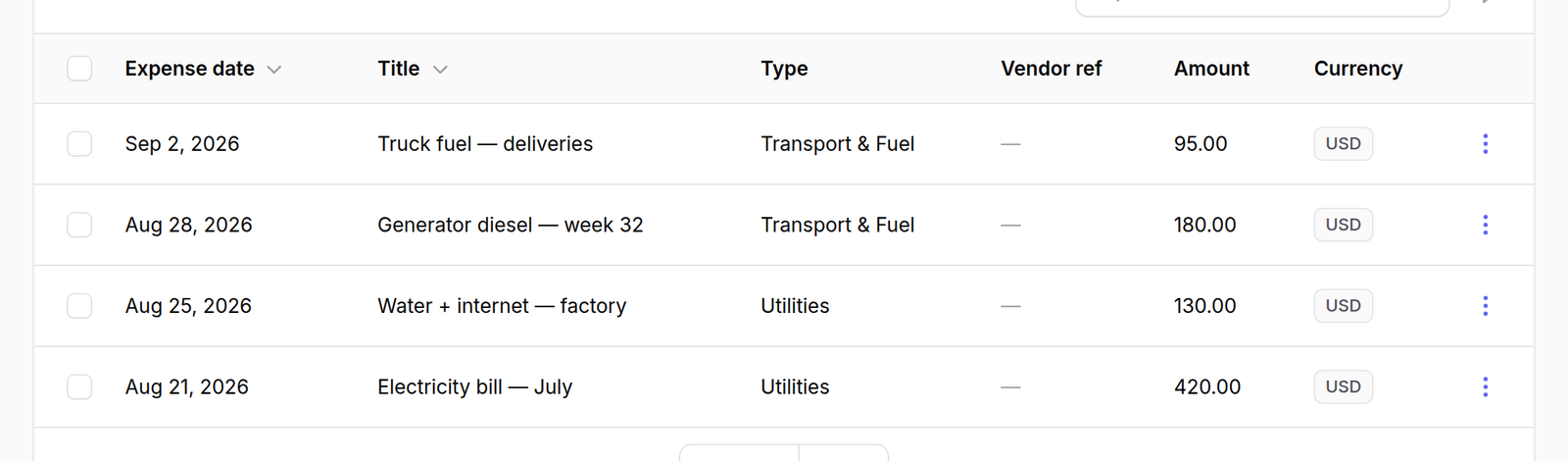
The columns are Expense date, Title, Type, Vendor ref, Amount and Currency.
Title is what the money was for in plain words — the demo reads “Truck fuel — deliveries”, which is the level of detail worth writing. Vendor ref is the supplier’s own receipt number, and a dash where there is none.
2Add one
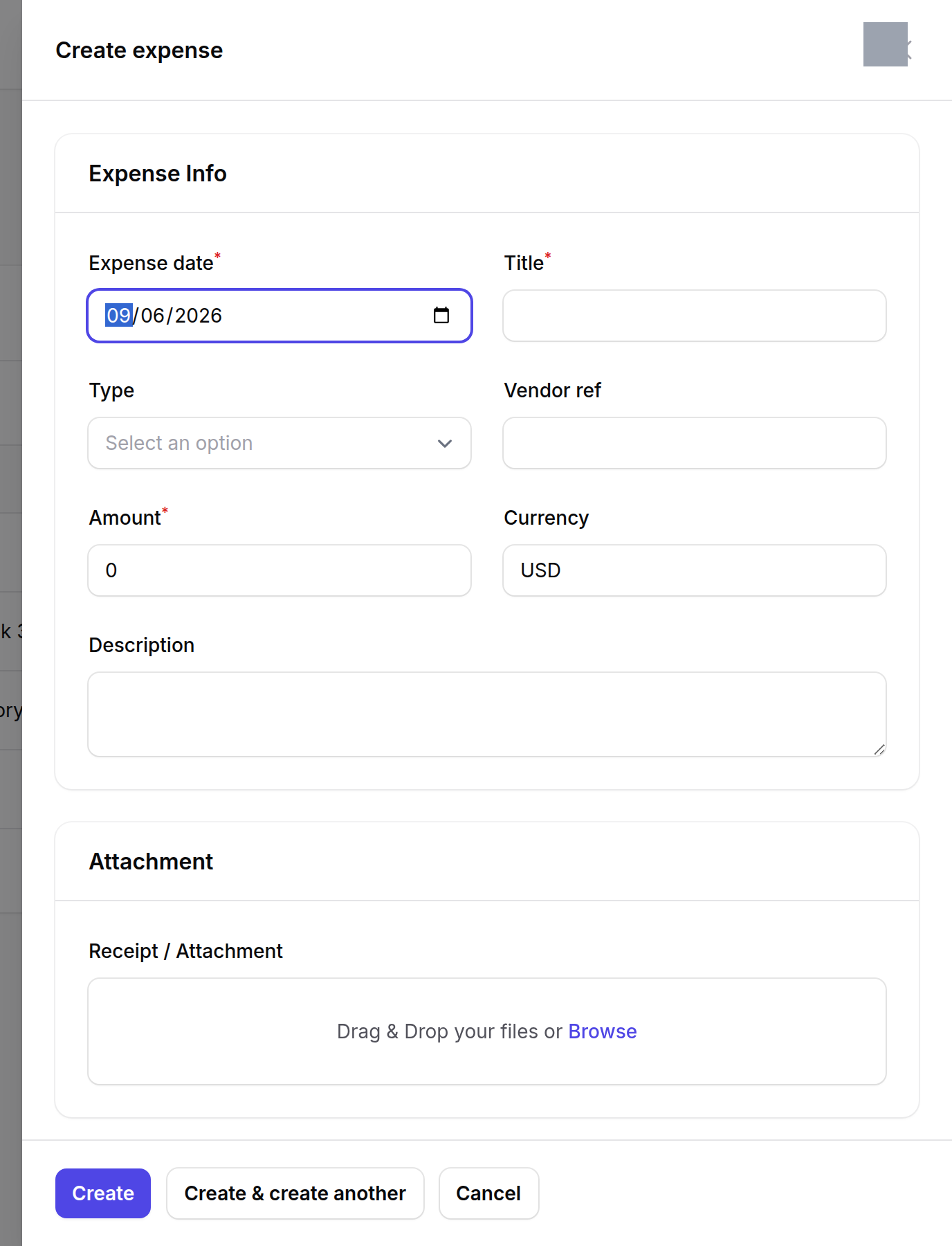
Press New expense. Give it a date, a title, a Type, and the amount.
What happens next
Expenses feed the Monthly Expenses figure on the Inventory Dashboard, which is where they are usually noticed.
The Type is what makes that figure answerable — without it the total is a number nobody can break down.