SNB Production WorkflowGuideStopping a job and picking it up again
Stopping a job and picking it up again
HOLD asks you why. RESUME does not. The reason you type is what your supervisor reads on Monday morning.
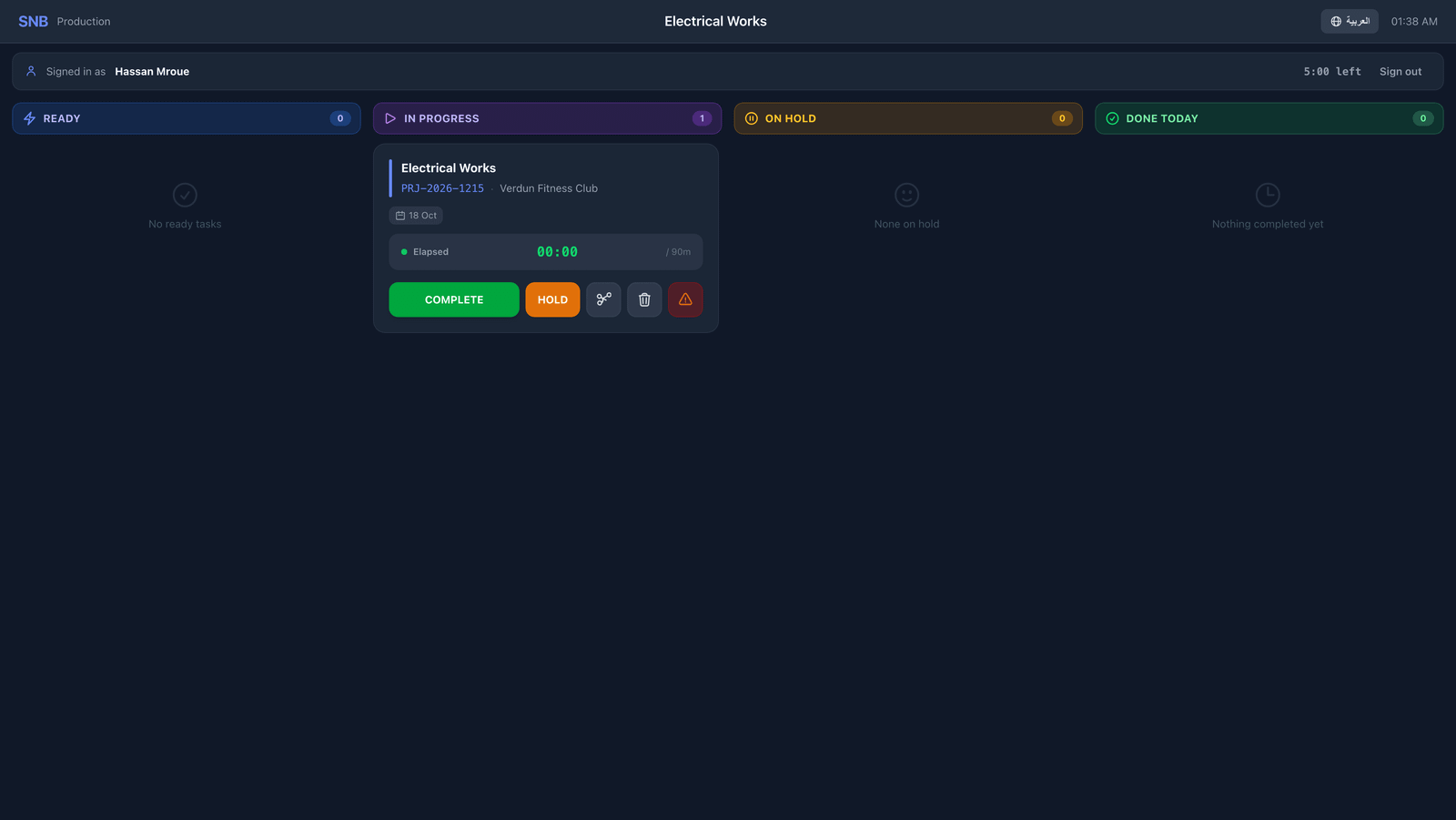
The job must be one you are working on — it is in the In Progress column.
1Press HOLD
On the card, press HOLD.
Type your PIN if it asks. It will not ask if you have used the screen in the last few minutes.
A box opens headed HOLD, with your name on it and a space to type in.
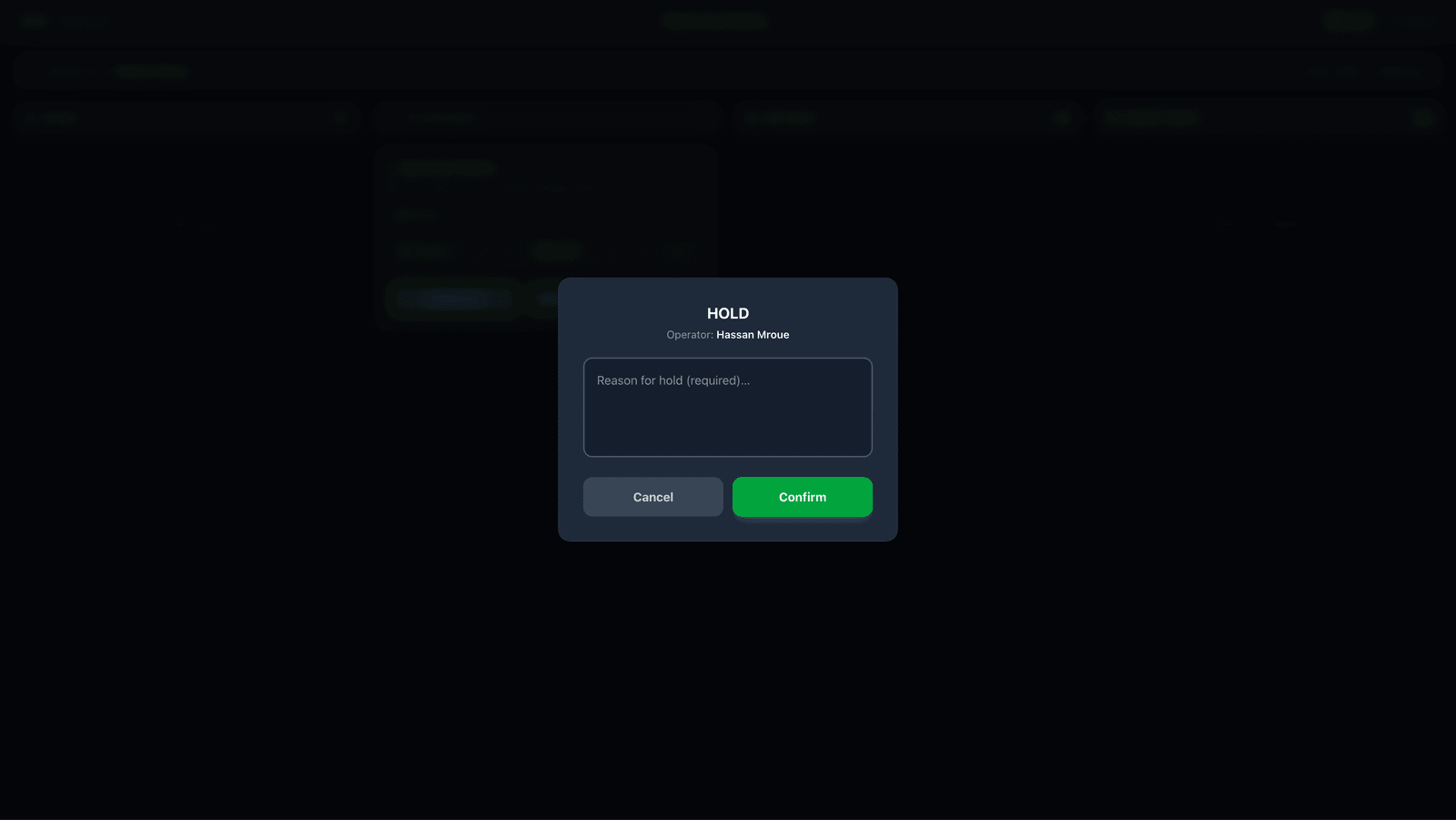
2A reason is required
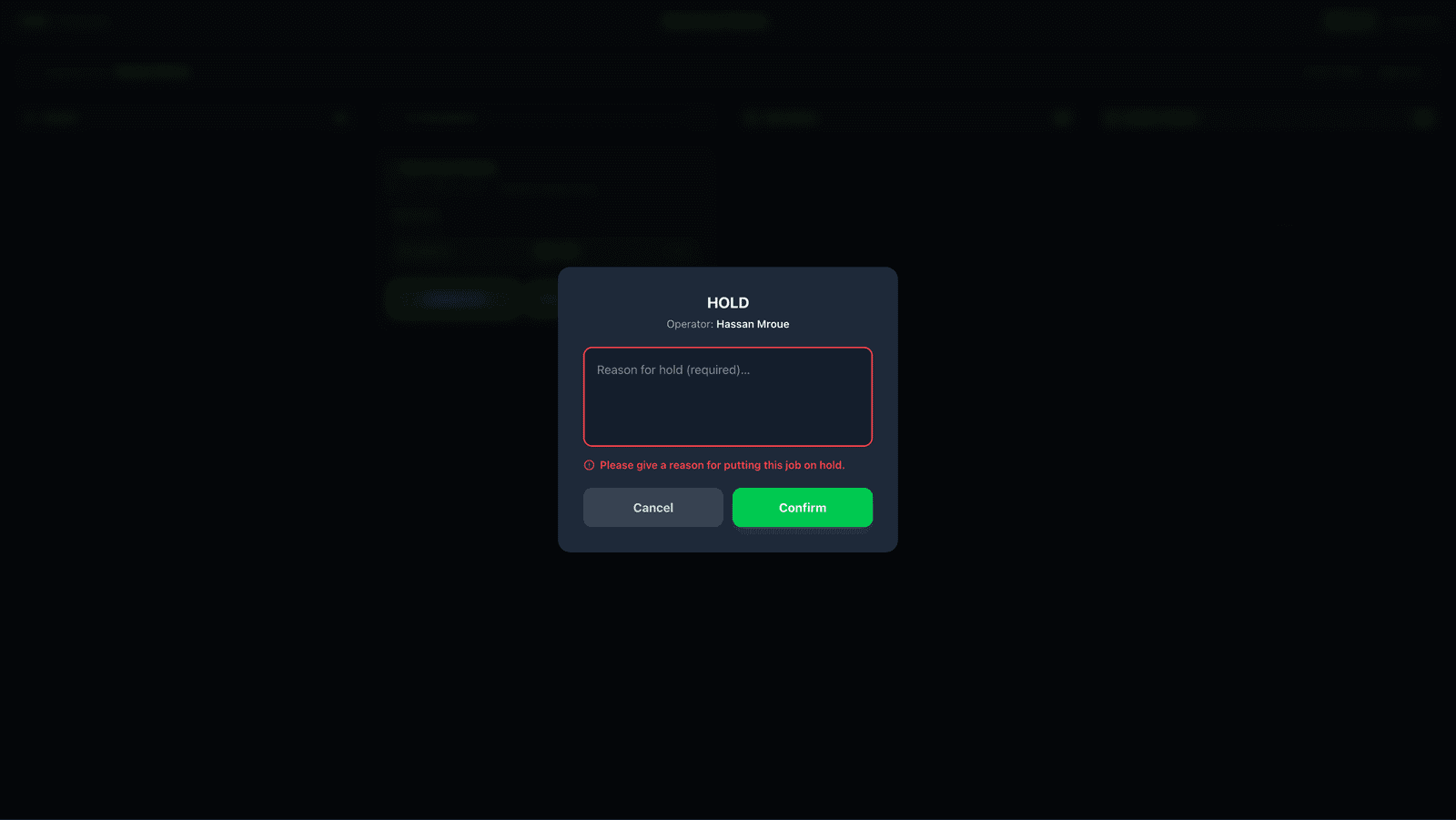
Press Confirm with nothing typed and the box stays open, saying Please give a reason for putting this job on hold.
This is the one place on the screen where pressing the button does not do the thing. It is not broken — it is waiting for the reason.
3Type why you are stopping
The box shows Reason for hold (required)…
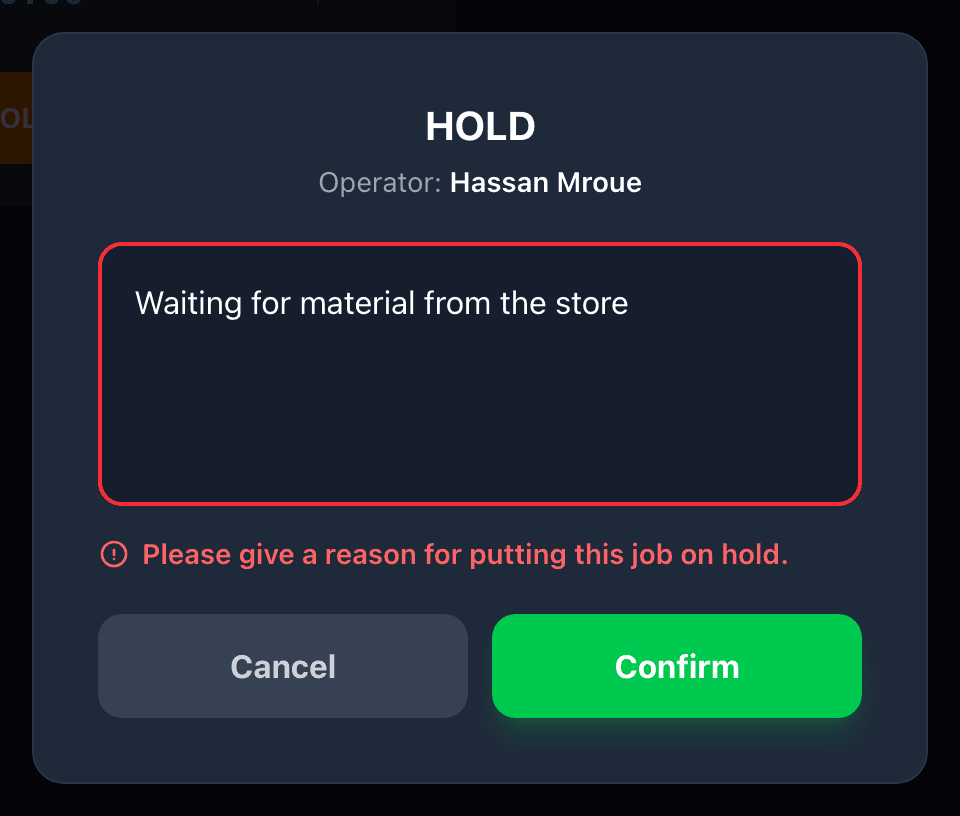
Type what stopped you. A few words is enough:
- Waiting for material from the store
- Machine down
- Waiting for the customer to approve the colour
Press Confirm.
A job sitting on hold with no reason tells nobody anything. Your supervisor sees that it stopped and has to come and ask you, probably the next day, by which time you may not remember.
“Waiting for material” and “machine down” are different problems with different fixes, and one of them is somebody else’s job to solve. The box is the only place that difference gets written down.
Type something real. “x” or “n/a” is the same as no reason at all, and it wastes the walk your supervisor makes to find out.
 3
3
4The job moves to On Hold
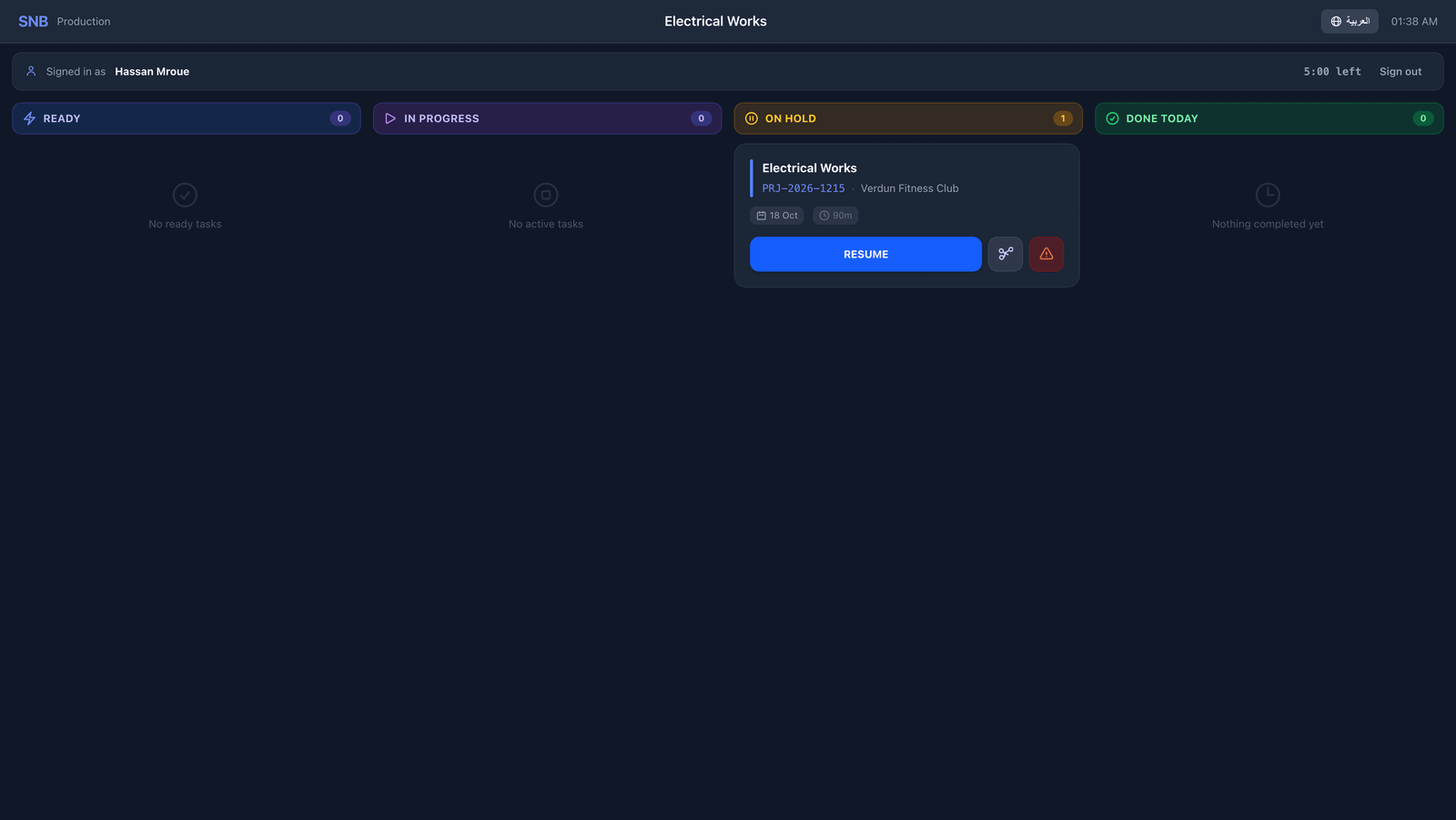
The card moves to the On Hold column.
Its button changes to RESUME.
5Pick it up again
When you can carry on, press RESUME on the card.
It asks nothing. The job moves straight back to In Progress.
Stopping needs an explanation. Starting again does not — you are simply doing the work you were already assigned.
What happens next
Carry on with the job. Finish it with COMPLETE.
If it goes wrong
| What you see | What it means |
|---|---|
| Confirm does nothing | The reason box is empty. The message above it says so. |
| No HOLD button | The job is not in progress. You can only hold work that is running. |
| No RESUME button on a held job | Your account may not be set up to resume work. Ask your supervisor. |
| You typed the wrong reason | Put it on hold again with the right reason, or tell your supervisor. The first reason stays on the record — nothing is erased. |