SNB Production WorkflowGuideThe Bell
The Bell
How the system tells one particular person that something is waiting on them.
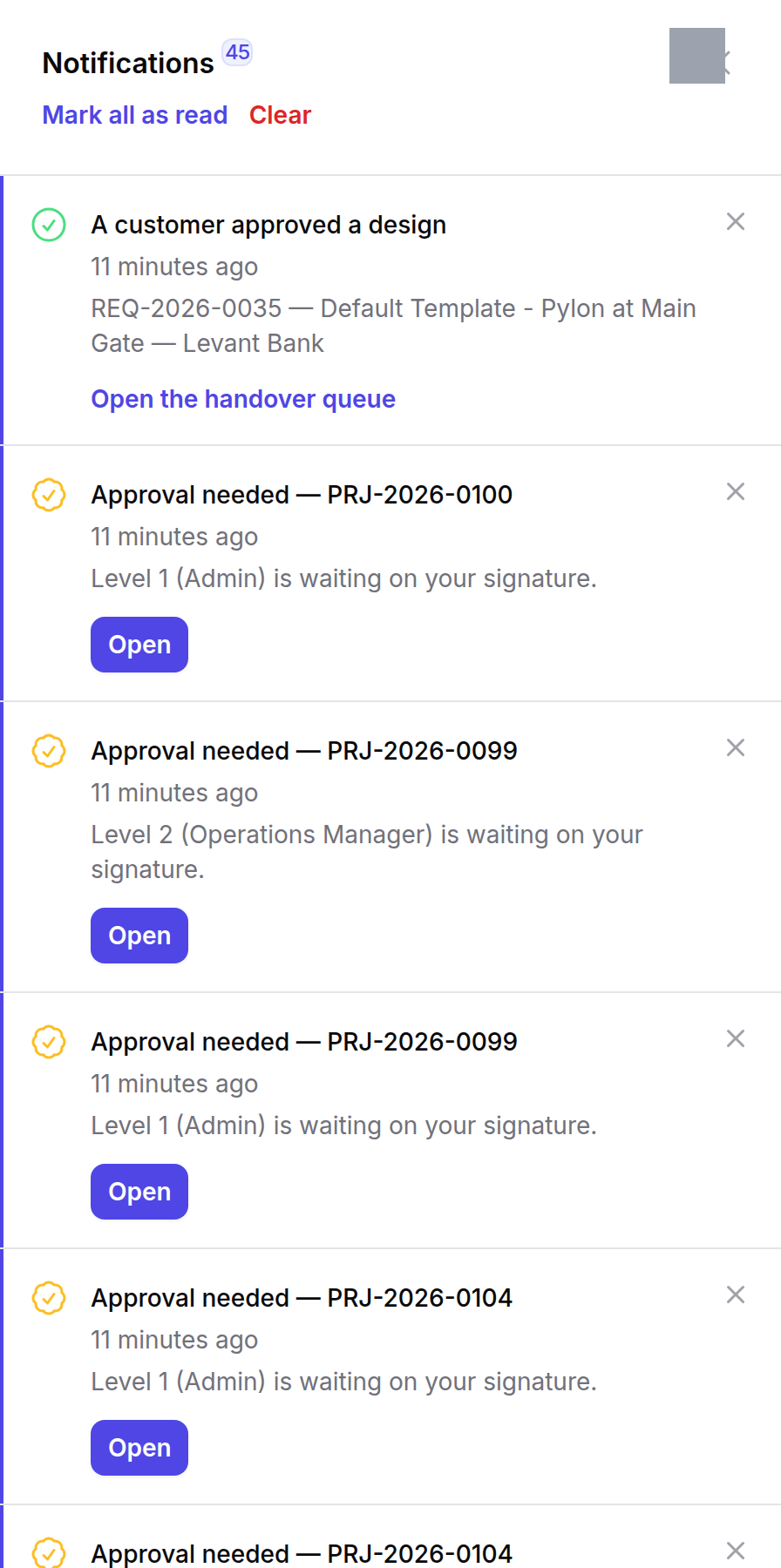
The bell sits in the top bar of both /admin and /operations, with the number of unread messages on it. It checks for new ones every thirty seconds.
There is no approval inbox. This is it.
A job order waiting on your signature reaches you here and nowhere else. There is no screen listing “things to approve” — you are told, you open the job, and you sign it on the job’s own page.
If you clear the bell without reading it, nothing else will remind you.
1Where it is
Top right, beside the search box. The number is unread, not total.

2What is in it
Each message carries a title, one line of context, how long ago it arrived, and a button that opens the record it is about.
Two kinds dominate:
| Message | What it means | Where the button goes |
|---|---|---|
| Approval needed — PRJ-… | a level of that job’s approval chain is waiting on your signature, and it names which level and which role | the project |
| A customer approved a design | a design has come back approved and the job now needs a person | Waiting for a person |
Mark all as read clears the count and keeps the messages. Clear removes them.
The message names the level and the role, not just the job.
“Level 2 (Operations Manager) is waiting on your signature” tells you which hat you are wearing. Somebody holding three roles can be asked to sign the same job twice at different levels, and without the level in the title the two messages would be indistinguishable.
Delegates are told too.
If somebody has delegated their signing to you while they are away, you are notified exactly as they would have been. A delegate who is never told is a delegate who does not know — which is the standstill the delegation was set up to prevent. See Settings → Signing Delegations.
What happens next
The button takes you to the record, not to a form. Approving, rejecting and commenting all happen on the job’s own page — see the project’s own Actions menu.
Reading a message changes nothing about the work. The job is still waiting until somebody acts on it.
If it goes wrong
Somebody says they were never told. Notifications go to everyone who holds the role that level names, plus any live delegate. If a level names a role nobody currently holds, nobody is told and the job waits — a correct refusal that nobody can clear. That case is visible on the job’s own approval panel, which lists levels with no signer.
The count does not go down. It counts unread. Opening the panel does not mark anything read; Mark all as read does.
A message points at a job you cannot open. The message was addressed to a role you hold, but the record sits in a panel you do not have. The issue notifications work around this by sending each person a link to the panel they can actually open; approval messages do not. Ask an administrator to check your panels.