SNB Production WorkflowGuideAdding Work To An Approved Job
Adding Work To An Approved Job
The customer asks for more once the job is already approved. This is what that becomes.
An amendment is an addition to work that has already been approved. It carries its own description, its own value, its own new steps, and its own approval cycle.
It is offered only on a job whose job order is approved.
On a job still waiting for its first signature there is nothing to amend — the whole job is still up for approval. Edit the job instead. It has not started.
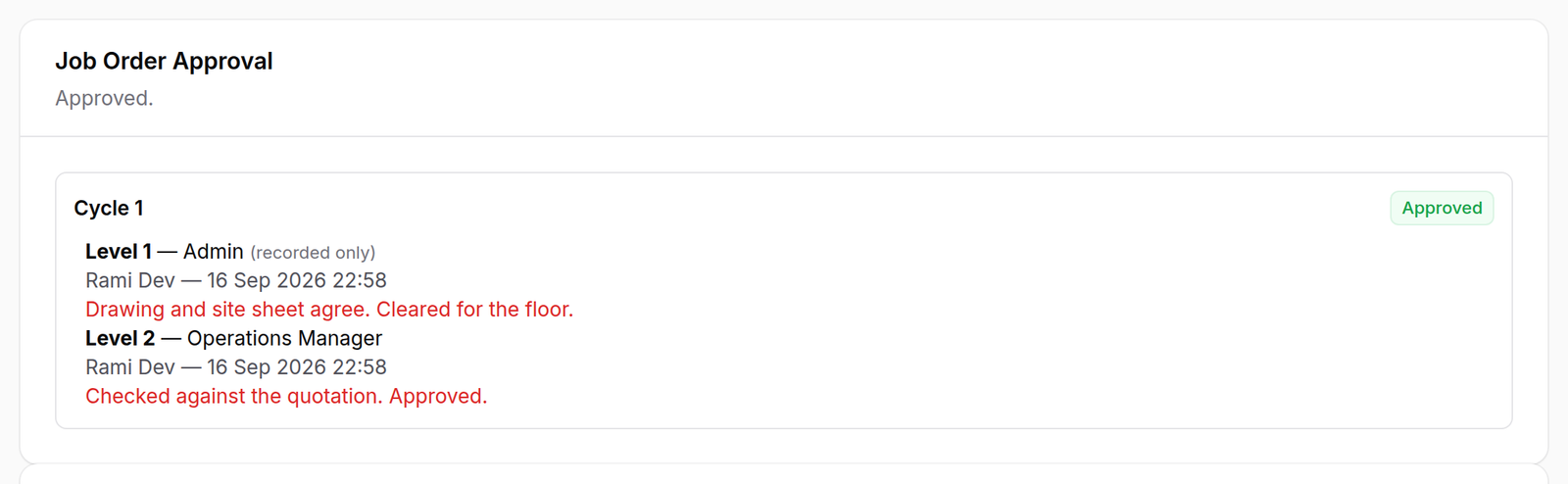
1The job it applies to
A signed chain, with who signed each level and when.
2Adding
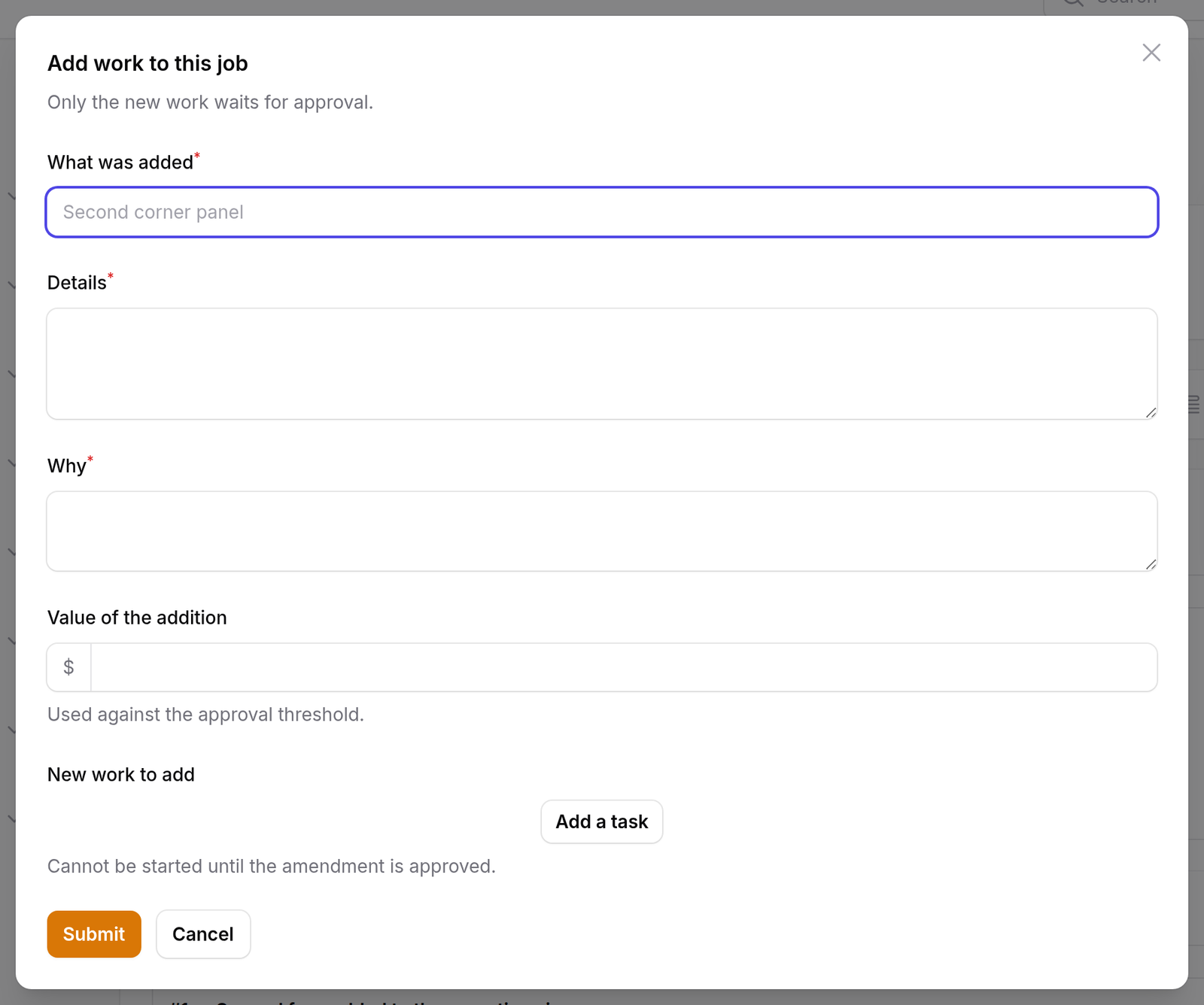
| Field | |
|---|---|
| Title | what was added, in a few words |
| Details | what it actually is |
| Why | required — why this work is being added |
| Value of the addition | counted against the approval threshold |
| Tasks | the steps it adds: a name, a department, an estimate |
“Why” is required, and it is not the same as “what”.
“The customer asked on site” and “we measured it wrong” describe the same extra work and are entirely different facts. Only one of them is something the factory should be able to count at the end of the year.
The steps are typed, not generated.
An amendment does not run a workflow template. What is being added is usually a handful of specific things, not a whole chain, so you name them.
3What appears
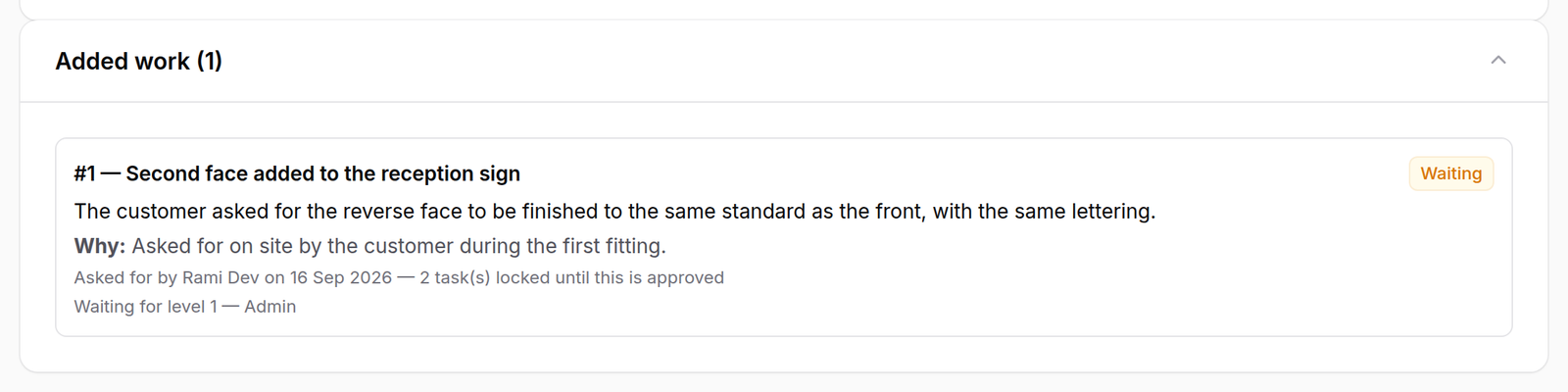
The amendment is listed under the job order with its number, its description, its reason, who asked for it, and the line that matters:
2 task(s) locked until this is approved
It goes into the approval chain immediately — an amendment sitting unsubmitted would be work locked with nobody asked to unlock it.
What happens next
The new steps exist on the job straight away and cannot start until the amendment is approved. The amendment has its own cycle, signed exactly like a job order — same levels, same rules, same panel.
The original job order is untouched. It is still approved, and the work released under it carries on while the addition waits.
If it goes wrong
“…has no approved job order yet, so there is nothing to amend.” The job is still waiting for its own approval. Edit it, or approve it first.
“An amendment needs a reason.” Blank reasons are refused by the engine, not by the form.
The new steps will not start. That is the point — they are locked until the amendment is signed. Check who it is waiting on at the bottom of the amendment card.
The customer changed their mind again. Raise a second amendment. They are numbered, and each keeps its own reason and its own cycle.