SNB Production WorkflowGuideActing On A Step
Acting On A Step
Nine things you can do to a step, which of them you are offered, and the table that decides.
Everything here is done from the ⋮ at the end of a row. What is inside it changes row by row, because the step’s status decides what is possible.
That is not the screen being clever. It is one table, in one place, and every refusal you will ever meet comes out of it.
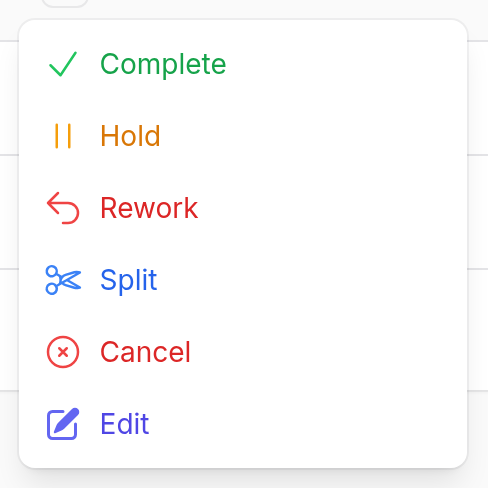
1Open the menu on a running step
Complete, Hold, Rework, Split, Cancel, Edit.
No Start — it is already started. No Dispatch — it has been. A step that is merely ready offers the opposite set.
2What each one does
| Action | Offered when | What it asks for |
|---|---|---|
| Dispatch | waiting dispatch | a person to assign it to, optionally, and notes |
| Start | ready | nothing |
| Complete | in progress | notes, optionally |
| Hold | in progress | a reason — required |
| Rework | completed, in progress or on hold | a reason — required |
| Split | not already a piece | the names of the pieces |
| Skip | only if the step is marked skippable | a reason — required |
| Cancel | anything not finished | a reason |
| Edit | always | the step’s own fields |
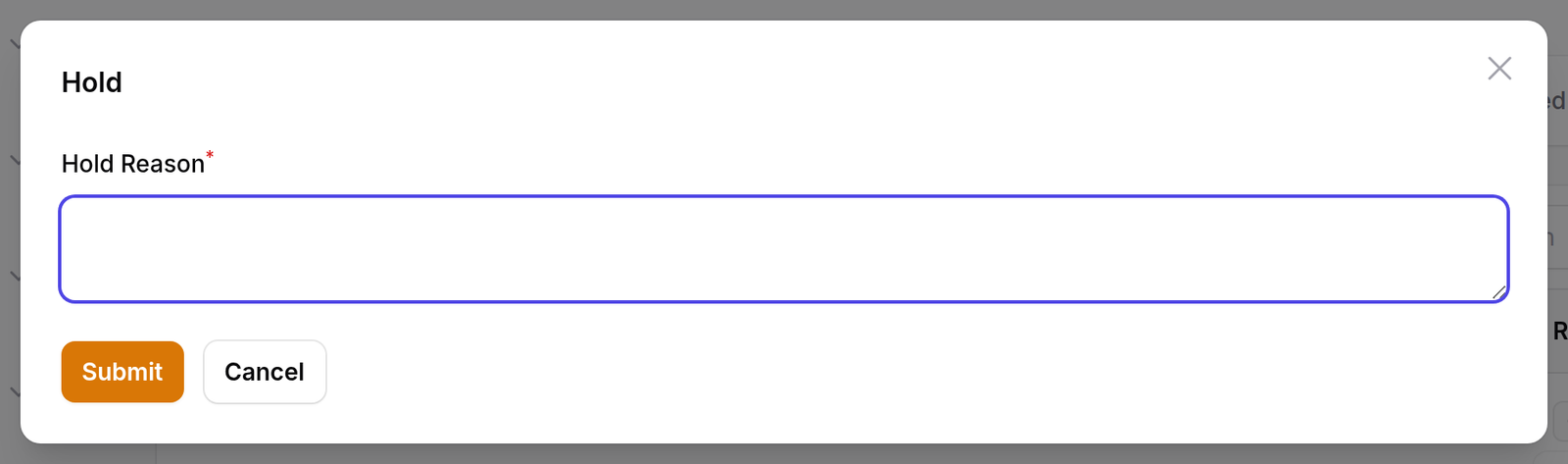
3Holding a step
The reason is required, and it is the right thing to be strict about: a held step is a step somebody will find later and have to explain.
Holding closes the time entry — the minutes spent so far are added to the step. Resuming opens a new one. So the time on a step is the time it was actually worked, not the wall clock since it started.
4The table that decides everything
A step may only move to a status this table allows. Anything else is refused.
| From | May become |
|---|---|
| pending | ready · blocked · waiting dispatch · cancelled |
| ready | in progress · waiting dispatch · on hold · cancelled |
| waiting dispatch | ready · in progress · on hold · cancelled |
| in progress | completed · on hold · returned · blocked · cancelled |
| blocked | ready · waiting dispatch · cancelled |
| on hold | ready · waiting dispatch · in progress · cancelled |
| returned | ready · waiting dispatch · pending |
| completed | returned only — that is what rework is |
| cancelled | nothing |
| skipped | nothing |
Cancelled and skipped are final.
There is no row out of either. A step cancelled by mistake cannot be un-cancelled; it has to be added again on the job’s production flow.
What happens next
Rework does not only send this step back.
Returning a step reopens the step before it, so the work can be redone. That much is obvious.
What is less obvious: every finished step after it goes back to pending too. The paint and the final inspection were done on the assembly that is now being redone, so they are not finished any more — and without this they would sit green on every screen while the sign was back at the start.
Each of them has its rework count increased. Steps that were deliberately skipped or cancelled stay as they are: a decision not to do something survives the rework of the things around it.
A piece cannot be sent back on its own. Rework on one afternoon of a split job is refused — you return the whole step.
Every one of these writes a line to the step’s own history: what it was, what it became, who did it, and the reason.
If it goes wrong
“Invalid task transition.” The move is not in the table above. The usual case is trying to complete a step that is on hold — resume it first.
Start is offered and then refused. The job order has not been approved. Nothing may begin on an unapproved job. Note that Resume is not gated the same way: a held step was started when the job was released, so continuing it is not beginning anything.
Skip is not in the menu. That step is not marked as skippable. It is a property of the step, set on the job’s production flow, not a permission.
The reason box will not let you past. Hold, rework and skip all require one, and a blank one is refused by the service and not just by the form.