SNB Production WorkflowGuideInspections
Inspections
Site visits as the office sees them — and the two row actions that move a job forward.
An inspection is a visit to a customer’s site. It is raised from Sales, carried out on a phone, and read here.
This screen is the office’s view. The inspector’s own screens are different and are documented separately.
1Open the list
Go to Inspections.
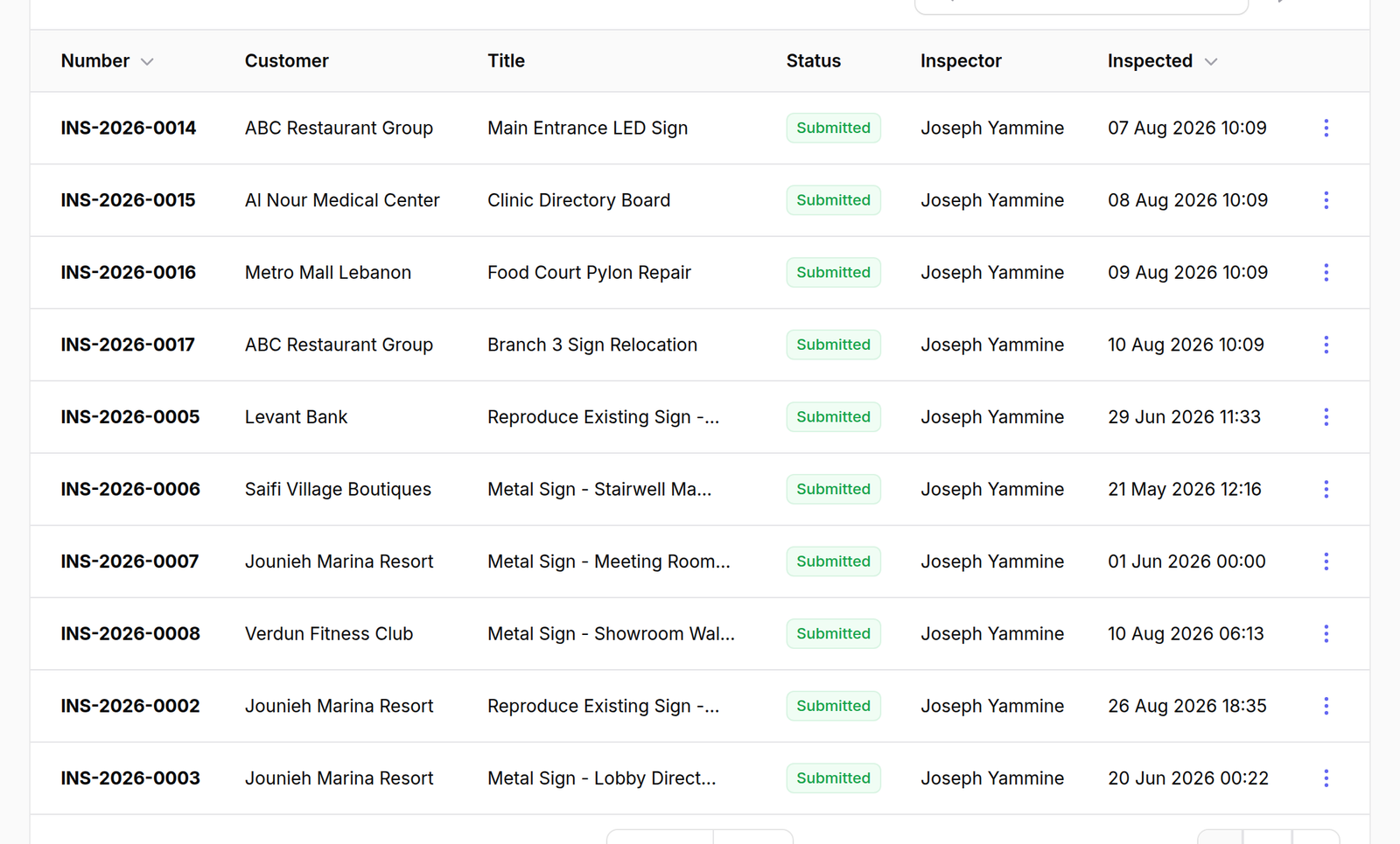
The columns are Number, Customer, Title, Status, Inspector and Inspected.
Inspector is empty while nobody has claimed the visit — those are the ones sitting on the Open Inspections board. Inspected is the date it was actually done, not the date it was booked.
Above the table is a row of tabs, and the screen opens on the second of them:
| Tab | What it lists |
|---|---|
| Requested | every requested visit. Its amber badge counts the ones nobody has claimed |
| Awaiting a designer | surveys that are finished and whose request has never been sent to design |
| Surveyed | visits that have been carried out |
| In Progress | visits somebody is on now |
| Drafts | started on a phone and not submitted |
| All | everything |
Awaiting a designer asks about the request, not the visit.
A survey ends when it is submitted — the design job carries the lifecycle from there — so a tab counting submitted visits counted every finished survey the company had ever done and called all of them waiting. The badge next to Inspections in the sidebar never went down.
Design hangs off the request, because a job may have several visits and a repeat order has none. So the tab lists surveys whose request has no design job behind it, live or finished, and the badge counts the same thing the tab lists. An amber badge is a call to act; one that never clears is decoration people learn not to read.
2The row menu
Press ⋮ on a row. Four actions, and two of them exist nowhere else:
- Assign Designer — hands the finished survey to a designer
- Site Visit Report — the PDF of what the inspector recorded on site
- View and Edit
Assign Designer is the handover from Inspection to Design.
Until it is used, a completed survey sits with Inspection and no designer has been told there is work. It is the one action on this screen that changes whose problem the job is.

What happens next
Site Visit Report is what goes to the customer or into the file — the photographs, measurements and answers the inspector recorded, in the shape the form template defined.