SNB Production WorkflowGuideHanding a Job to the Factory
Handing a Job to the Factory
Planning a start, releasing the work, and the four faults that refuse a release. Nothing reaches a department screen until this is done.
Generating a chain does not hand it over. The tasks are created at
pending, and every screen in the factory is blind to pending — so between
generating the work and releasing it, the job is on no board anywhere.
Releasing needs production.release, a permission of its own. It is not edit, which every Operator holds so they can work their own tasks, and it is not create, which is the verb for shaping a flow. Deciding when the factory takes a job on is its own decision and its own permission.
1Schedule a start
Schedule a start records a planned date. The helper text says what it is, and it is the one thing nobody can infer from a date picker:
A plan, not a trigger. The job still has to be started by hand once its production flow has been checked.
The job appears on the handover board until somebody starts it.
2Start production
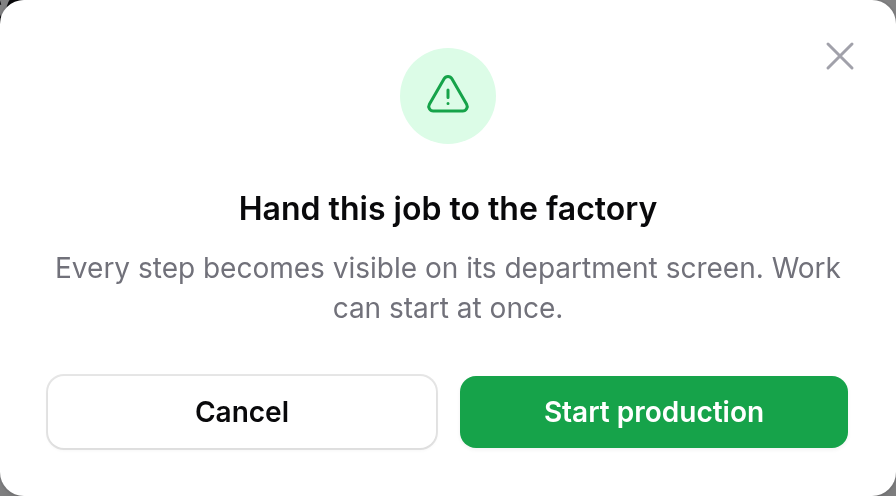
Start production is the handover. The confirmation says what it does:
Every step becomes visible on its department screen. Work can start at once.
3When it refuses
The button is dim, and the confirmation says why, before you press it rather than after. Four things stop a release:
| the job order has not been approved | a signature is missing — see the project’s own page |
| a sign has no production flow yet | generate it, or check the rail for which sign |
| there is no production flow to release | nothing has been generated at all |
| the flow has a problem that would stop the job | see below |
A flow with a problem also says so in red above the graph, naming the step:
“Assembly” waits for “Metal Work”, which was deleted. A deleted step never completes, so this step and everything after it are stuck.
The four faults it looks for are all the same fault wearing different clothes — a step waiting on something that will never finish:
- a step waiting on a step that was deleted
- a step waiting on a step that was cancelled — a cancelled step never releases what comes after it
- a loop, named by the steps in it
- an arrow reaching across to another sign’s work
None of these announces itself, and that is why the screen looks for them.
A missing upstream status reads as “not completed”, so the step downstream simply stays blocked — forever — while every board in the building shows the job as live. Nobody is told. The work just never arrives, and the first person to notice is a customer.
Refusing the release is the only moment at which anybody is in a position to see it.

4Pull it off the floor
Pull off the floor, on the project’s page, takes a released job back:
Nothing new will be released to a department. Work already started or finished stays exactly as it is — the record of what was done is not rewritten.
It does not undo work. Walking back a started task would erase the time entries and waste records that prove it happened.
A hold means the floor takes nothing new from this job. What is already in somebody’s hands stays there.
What happens next
Once it is released, every step in the chain becomes visible on its department’s screen and the floor can start.
An unreleased job is also not late: its tasks carry the project deadline, and nobody is chased for work they have not been asked to start.
If it goes wrong
| What you see | What it means |
|---|---|
| Start production is dim | Read the confirmation — it names what is in the way. |
| The job order shows as approved and it still refuses | Read the rest of the sentence. More than one thing can be in the way, and they are listed together. |
| Released, and a department sees nothing | Check that sign’s chain. A sign with no flow generates no work, and the rail says which. |
| A step was cancelled and the job stopped | That is the second fault. Skip the step instead, or remove the link — cancelled never satisfies anything. |
| No Start production button at all | Your role does not hold production.release, or the job is already on the floor. |