SNB Production WorkflowGuideEvery Step, In A List
Every Step, In A List
Every step of every job in one table, and the tab that matters is the one it opens on.
The kiosk shows one department. The floor board shows one factory. This shows every step of every job, and it is the only screen that will let you search them.
Find it under Production → Project Tasks. The number beside it is the count of steps that need somebody.
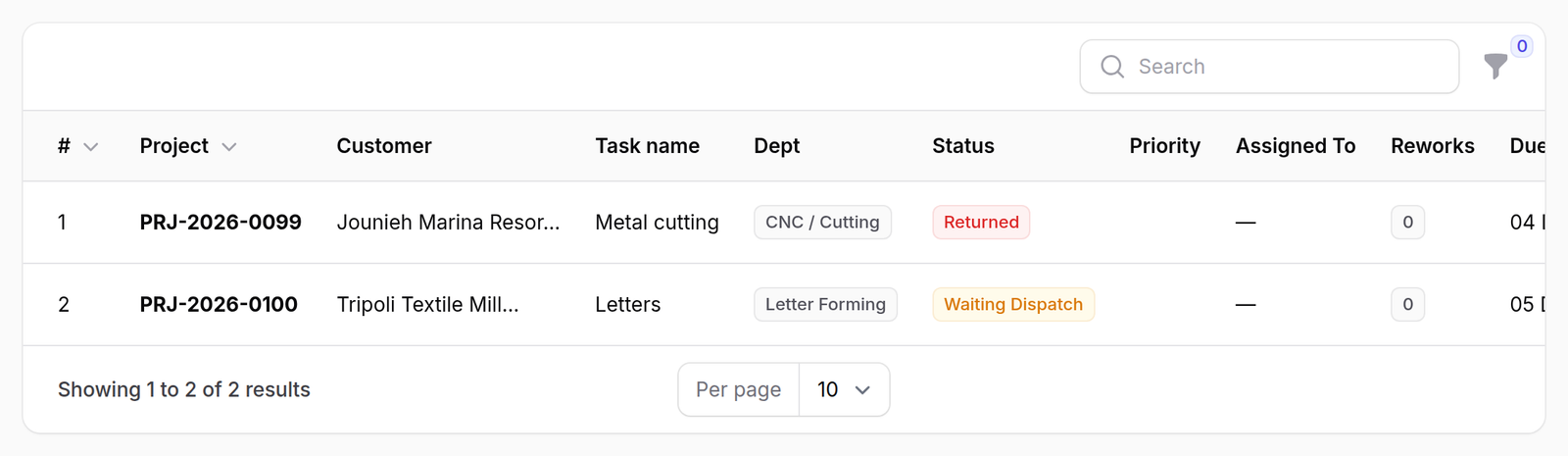
1It opens on the work that is stuck
Not on everything — on Needs Action, which is three statuses that have one thing in common: nobody in the workshop can move them.
| Status | Why it is here |
|---|---|
| Waiting Dispatch | released, but no department screen is showing it until a manager sends it |
| Blocked | something it depends on has not finished |
| Returned | sent back for rework |
A workshop can work through Ready on its own. It cannot work through these.
2The other five tabs
In Progress, Ready, On Hold, Completed, All. The counts on the tabs are live.
Only three tabs carry a number. Needs Action, In Progress and On Hold — the three worth watching. Ready and Completed are not counted, because a healthy factory has a lot of both and the number would tell you nothing.

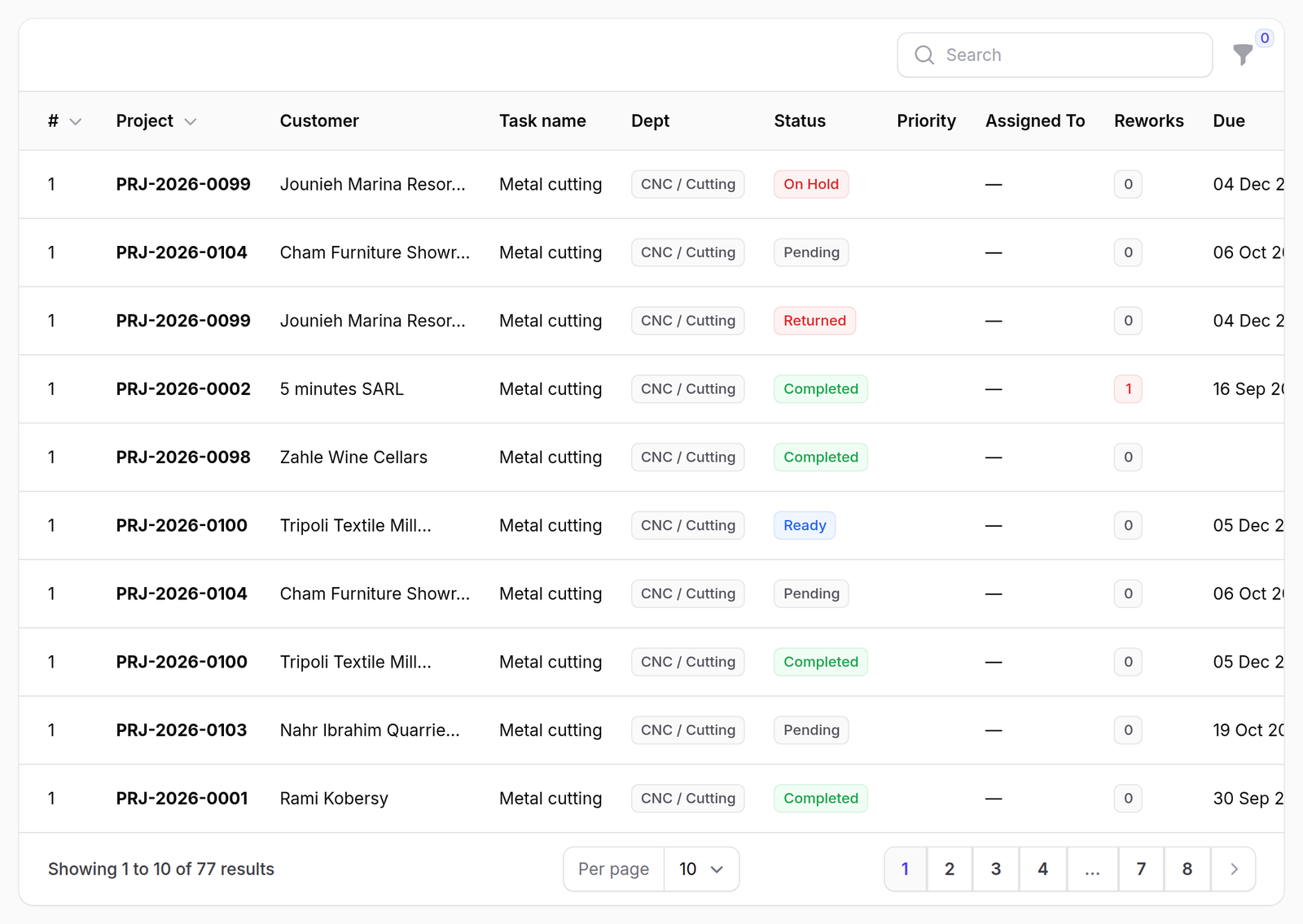
3Everything, with its columns
| Column | What it is |
|---|---|
| # | the step’s position in its chain |
| Project / Customer | which job |
| Task name / Dept | what and where |
| Status | colour-coded |
| Priority | from the job |
| Assigned To | the person, if one was named on dispatch |
| Reworks | how many times this step has been redone |
| Due | red once it is past |
Filter by status, department or project. Search matches the task name.
The table is wider than the page. Due sits off the right-hand edge at this width — scroll the table sideways to reach it.
A split job counts once here, not once per piece.
A step cut into four afternoons is still one step. The pieces are real records and the workshop sees them on the kiosk, but this list is the chain, and a chain has one link there, not four.
Removed steps are gone from it too. So a count here will not always match a count you make by hand from a kiosk.
What happens next
Acting on a row is Acting on a step. Sending a waiting step to a department is what the Dispatch board is for, and it is faster for that one job.
If it goes wrong
A step you expected is missing. Check the tab. The default one hides most of the factory on purpose. All shows everything.
The counts do not match the kiosk. The kiosk shows pieces; this shows steps. See the note above.
A step is Blocked and nothing seems to be blocking it. Blocked means an upstream step in its own sign’s chain has not finished. The graph is on the job’s own production flow — see The production flow.