SNB Production WorkflowGuideTriage, Resolve, Close
Triage, Resolve, Close
The three verbs that move an issue — and the one screen that has them.
Do this in the Operations panel, not the admin one.
Triage, Resolve and Close exist only at /operations → Issues. The admin screen lists the same issues and offers an Edit panel and nothing else.
You can set the status by hand in that Edit panel. It will not record who resolved it or when — those are stamped by the Resolve action and by nothing else. An issue closed that way leaves a hole in its own history.
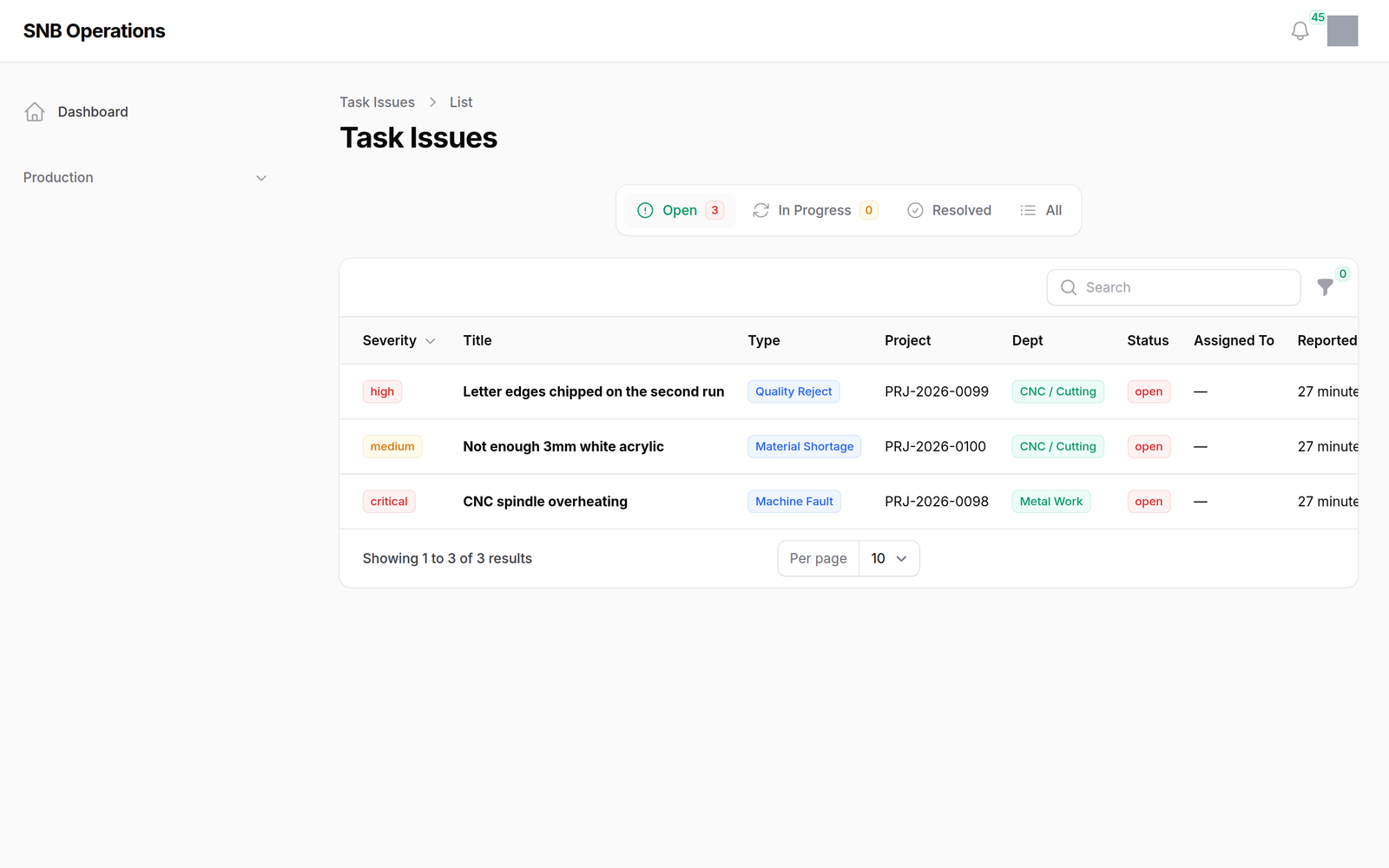
1The list, open first
Four tabs: Open, In Progress, Resolved, All. It opens on Open, and the first two carry counts.
2The three verbs
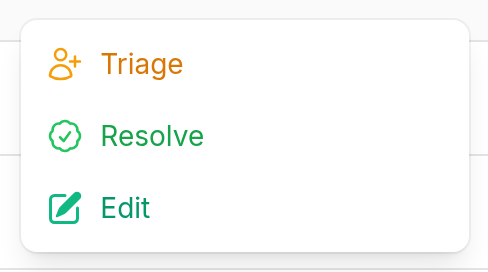
Behind the ⋮, and which you are offered depends on where the issue is.
| Verb | Offered when | What it does |
|---|---|---|
| Triage | open | assign it to somebody — required — and move it to in progress |
| Resolve | open or in progress | record what was done and mark it resolved |
| Close | resolved | confirm and file it |
3Resolving
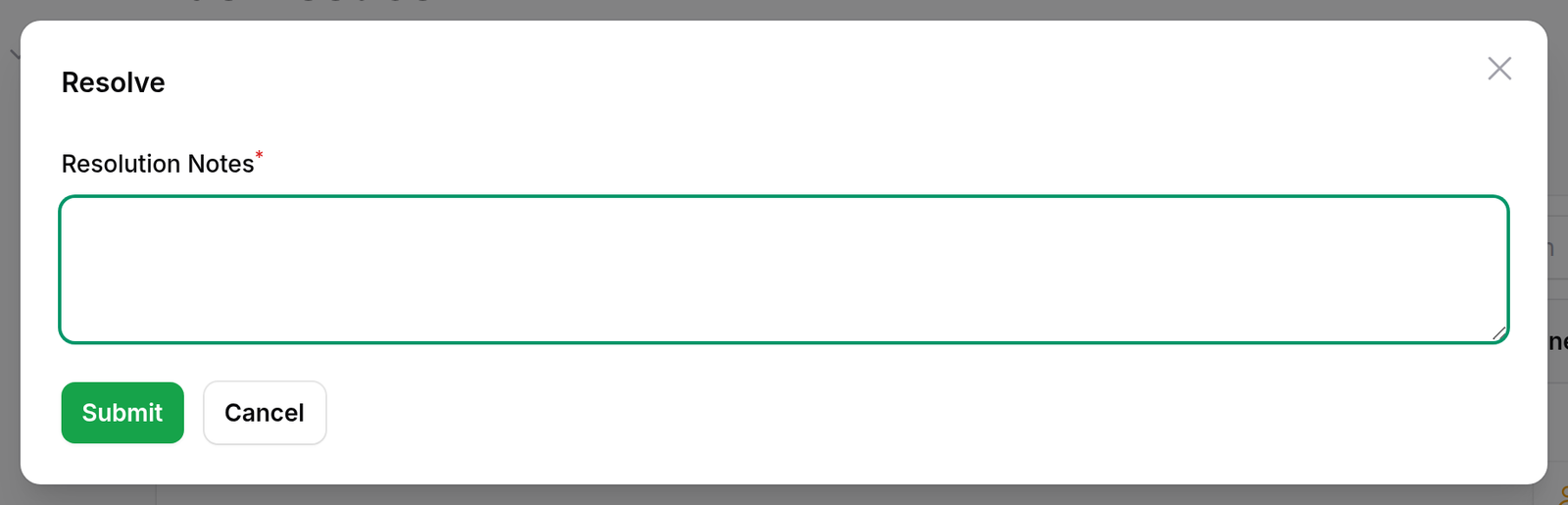
Resolution notes are required. Saving stamps who resolved it and when, alongside the notes.
Triage and resolve are two verbs, not one.
Triage says this is mine now. Resolve says this is dealt with. Between them sits the work. Collapsing the two would lose the only period in an issue’s life when somebody has taken responsibility for it and has not finished — which is exactly the state a supervisor wants to see on a Monday.
Close is separate from resolve on purpose. Resolved says the problem was dealt with; closed says nobody needs to look again. The gap lets whoever raised it disagree.
What happens next
A resolved issue keeps its notes, its resolver and its time. The Open Issues figure on the dashboard counts only issues that are still open, so resolving one moves that number.
Nothing about the work changes. Resolving an issue does not restart a held step or unblock anything — if the problem stopped a step, somebody still has to resume it. See Acting on a step.
If it goes wrong
You are in the admin panel and there are no verbs. That is the panel, not your permissions. Go to /operations → Issues.
Resolved by is empty on an old issue. It was resolved through the admin Edit panel, which does not stamp it. There is no way to recover who did it after the fact.
Triage will not save. It requires somebody to assign it to. An issue in progress that belongs to nobody is the state this is designed to prevent.