SNB Production WorkflowGuideThe Default Template
The Default Template
One template is nominated as the one a job falls back to when its type names none — and it is set in exactly one place.
A request can be raised without a project type — the form allows it, and on site it often should. The project is then created with no workflow template, and a job with no template used to be a job that could not reach the factory from any screen at all.
1The list
Templates → Workflow Templates. The columns are Name, Project type, Steps, Ver, Active, Default and Updated.
The one that is nominated wears a Default badge. The column is only there when a default has been set.
There is no way to set it from this list, and that is the point.
The badge reports; it does not offer. Setting it here would be a second door onto one decision, and a row-level toggle could momentarily show two defaults.

2Where it is actually set
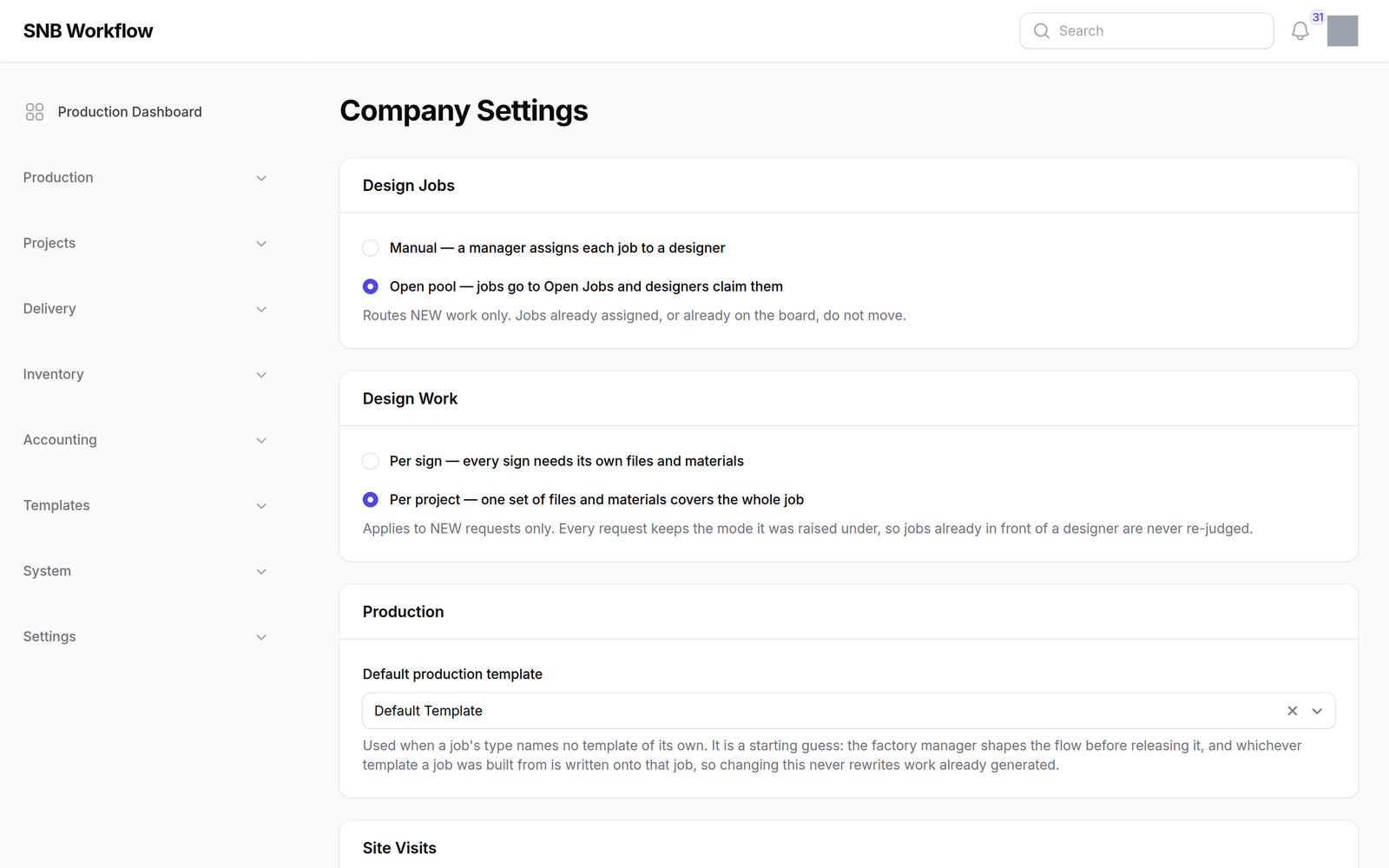
Settings → Company Settings, in one field, chosen from the templates that can actually build something.
“Only one can be the default” is held by there being one column on a one-row record, not by a rule that checks.
A tick on each template row would let two rows say yes, and choosing between them is a question with no right answer. One field on one record makes a second default unrepresentable rather than merely discouraged.
And the list offers only templates that can generate: a default whose every step is off the kiosk builds a chain of nothing and then refuses, so offering it would be offering a setting that cannot work.
The same screen carries Design Work — whether design is done per sign or per project. See Design → The design workspace.
What happens next
A job whose type names no template is built from the default, and from there it behaves like any other job: its flow is shaped on Production → Reading the flow, and released from there.
The default is a starting guess, not a routing.
It is generic on purpose. A generic chain a manager edits is worth incomparably more than a job nothing can start — which is what seven of the forty-one jobs on this system were before the default existed: created with no template, Generate Tasks hidden, the production flow hidden, and the handover board blind to them.
If it goes wrong
| What you see | What it means |
|---|---|
| No Default column on the list | No default has been set. Set one on Company Settings. |
| A template you want is not offered as the default | It cannot generate anything — every one of its steps is in a department with no kiosk screen. |
| A job was built from the wrong template | Its type named one. The default only applies when the type names none. |
| Two templates look like the default | They cannot be. Reload; the badge reads one field on one record. |