SNB Production WorkflowGuidePurchase Requests
Purchase Requests
Asking for something to be bought — before anybody commits money to a supplier.
A purchase request is the first rung of the procurement ladder. Somebody says what they need; it is approved or refused; only then does an order go to a supplier.
The request and the purchase are separate documents on purpose.
A request is a question with a person’s name on it and no money attached. A purchase is a commitment. Keeping them apart means “who asked for this” and “who agreed to pay for it” are two different answers, both recorded.
1Open the list
Go to Purchase Requests.
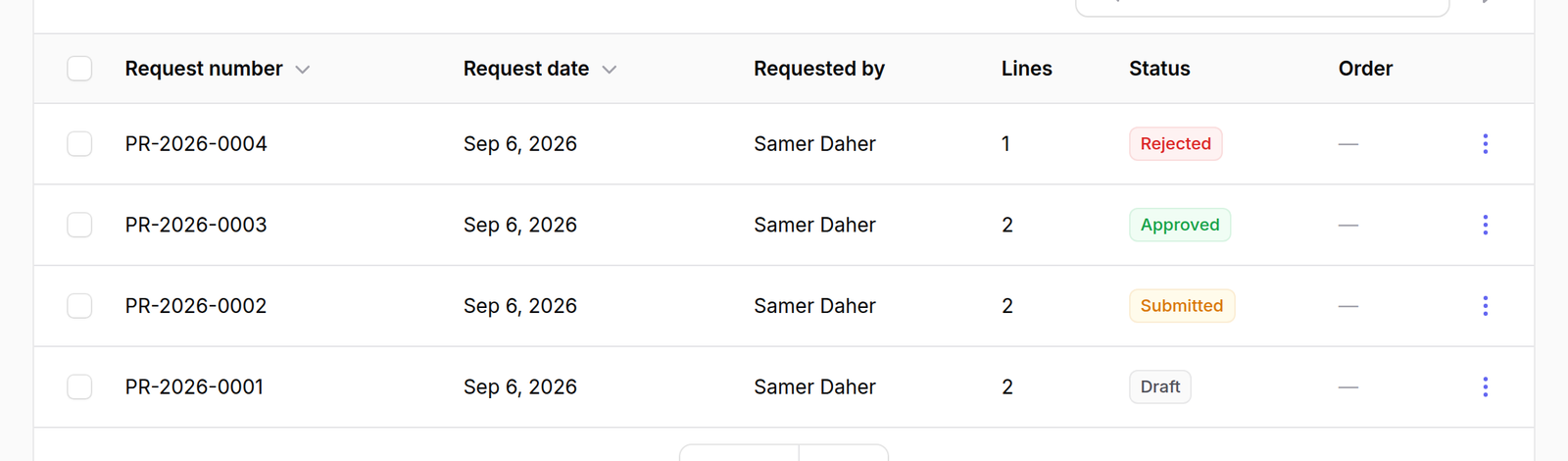
The columns are Request number, Request date, Requested by, Lines, Status and Order.
Status is the one to read. A request moves through Draft, Submitted, then Approved or Rejected — all four appear in the list, and a rejected request stays there with its reason rather than disappearing.
Order stays empty until the request has been turned into a purchase. A request with a number in that column has already been bought.
2Raise one
Press New purchase request.
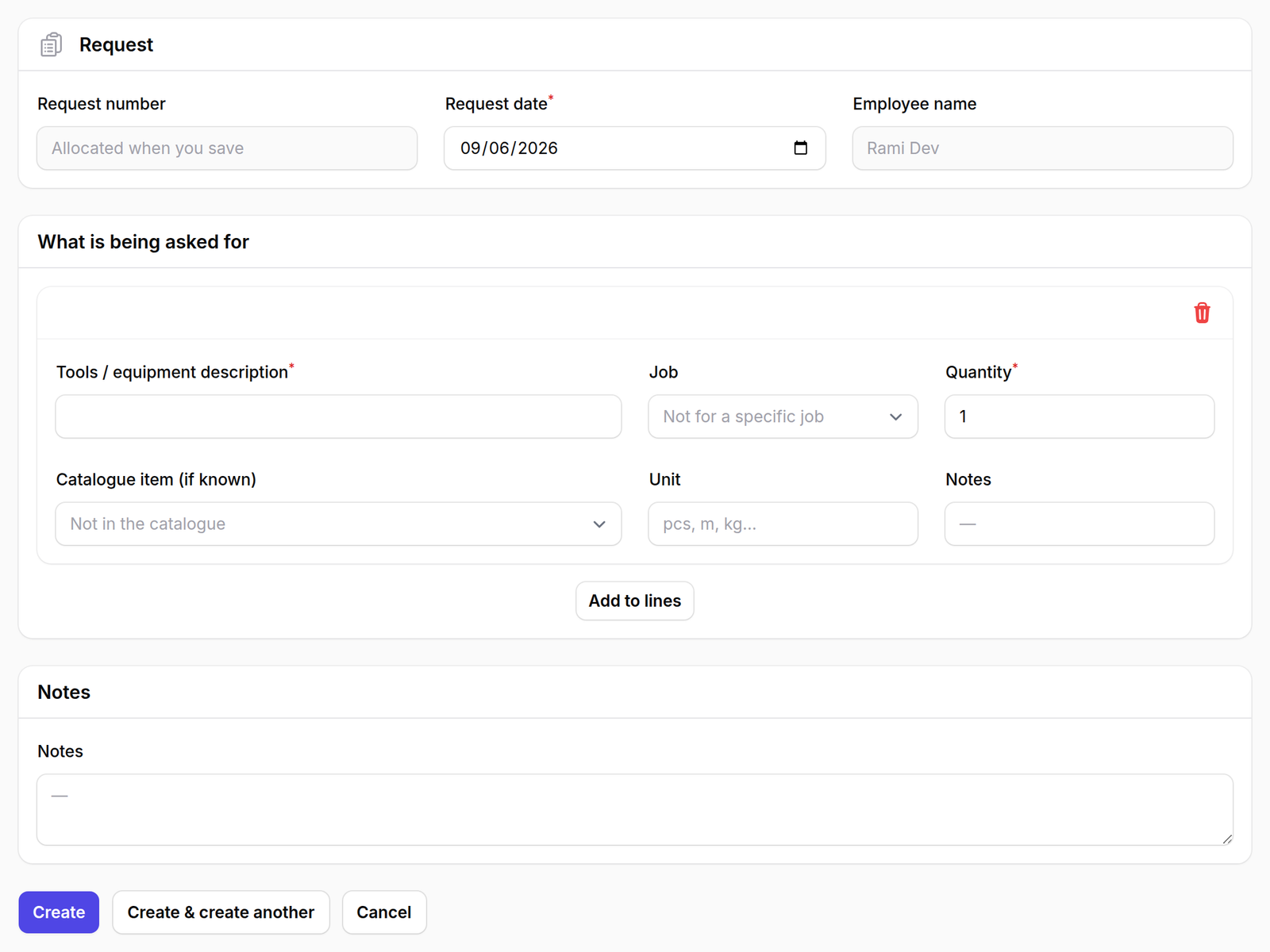
The form is in three parts:
- Request — request number, date, and the Employee name asking
- What is being asked for — the lines
- Notes
Each line asks for a Tools / equipment description, a Job, a Quantity, and optionally a Catalogue item (if known) and a Unit. Press Add to lines to add it.
Two of those fields are deliberately allowed to be vague, and the screen says so in its own placeholders: Job offers “Not for a specific job” and Catalogue item offers “Not in the catalogue”.
Somebody asking for a new drill should not have to invent a project number or create a stock item before they are allowed to ask. The description is enough to start the conversation; the precision comes later, when it is approved and turned into an order.
What happens next
Submit the request and it goes for approval — first the Operations Manager, then the CEO. Both are recorded against the request with whatever comment they left.
An approved request can be converted into a purchase, which is where the money actually gets committed.