SNB Production WorkflowGuideThe Operations Panel
The Operations Panel
A second, deliberately smaller door into the same system, for the person running the floor.
There are two office panels, not one.
| /admin | the whole system — nine groups, everything from quotations to the chart of expense types |
| /operations | four screens, all about work in the factory today |
Same login, same data, same records. A user has a default panel set on their account, which decides which one signing in puts them on.
1What it opens on
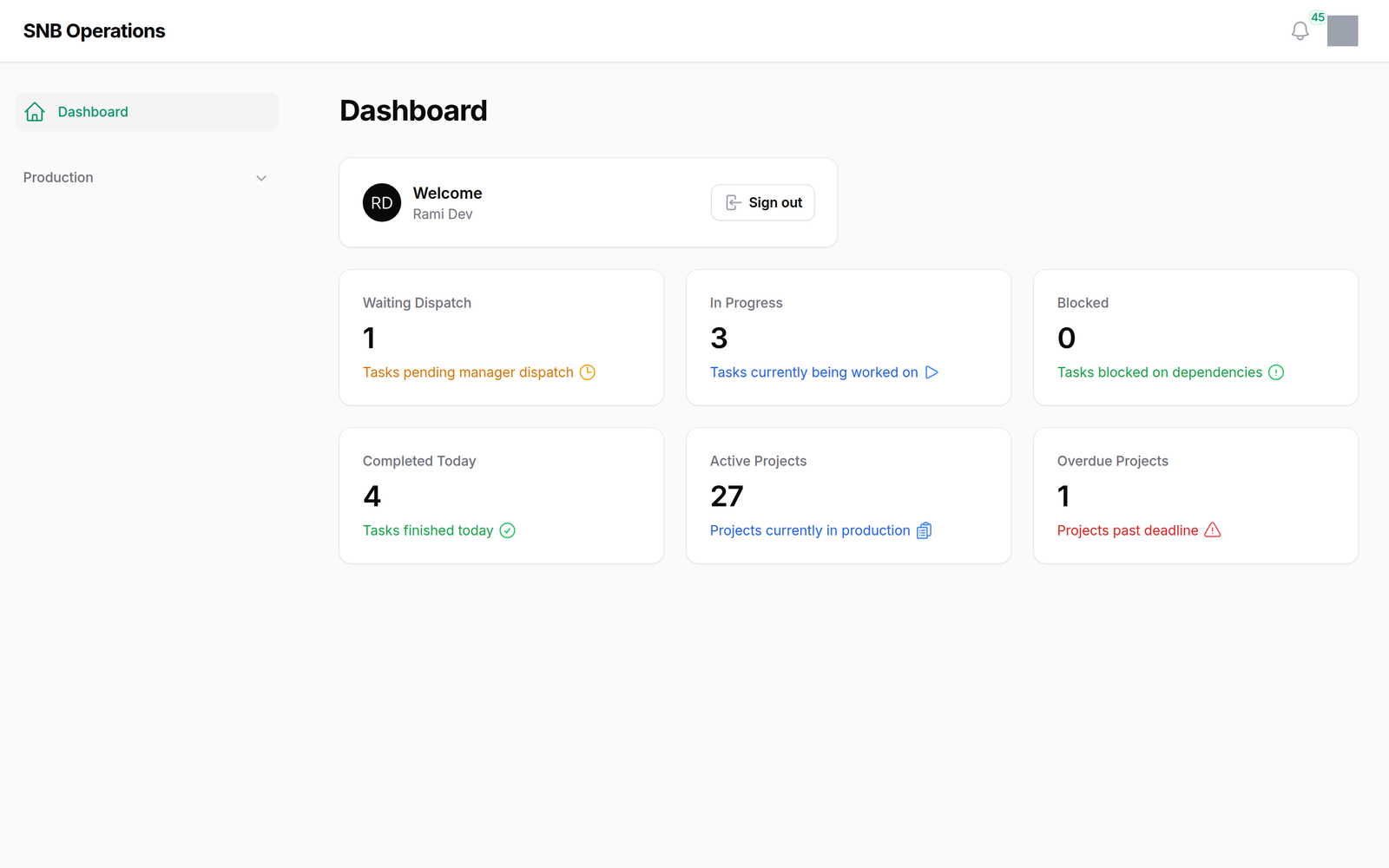
Six numbers, and they are the floor’s own:
| Reading | |
|---|---|
| Waiting Dispatch | steps nobody has sent to a department |
| In Progress | steps being worked now |
| Blocked | steps waiting on something upstream |
| Completed Today | |
| Active Projects | |
| Overdue Projects | past their deadline |
Blocked is the one the admin dashboard does not show. It is the floor’s question — what cannot move? — rather than the office’s.
2The whole panel
A dashboard, and then Production holding three screens:
- Dispatch Board — sending waiting steps to departments
- Tasks — the same steps as the admin list, with the floor’s verbs
- Issues — and this is the only place with Triage, Resolve and Close
And that is all of it.
Fewer screens is the feature.
A floor manager spends the day on three questions: what is waiting, what is running, what has gone wrong. The admin panel answers those too, but with fifty other screens around them.
This is the same application with the other forty-odd taken away — which is why Issues is better here, not merely different. The screen was built for the person who actually resolves them.
Tasks here is not quite Tasks there.
The Operations task list offers dispatch, skip, cancel, rework, split and assign. It does not offer start, complete or hold — those belong to whoever is doing the work, at the kiosk, under their own PIN.

What happens next
The Dispatch board is where the work of this panel actually happens.
Both panels carry the same bell and the same notifications, so nothing is missed by being in one rather than the other.
If it goes wrong
Signing in lands you on the wrong panel. Your account has a default panel. An administrator changes it on your user record.
A screen your colleague has is missing. The panels show what your roles permit. A group you cannot see is absent rather than greyed out.
You are on /operations and need something else. Everything here is in /admin as well. The reverse is not true only for the three issue verbs.