SNB Production WorkflowGuideDelivery Teams
Delivery Teams
The crews, who is on them, and what each one carries.
Delivery → Delivery Teams. A team is a crew that goes out together: a name, a code, the people on it, and the vehicles and kit it holds.
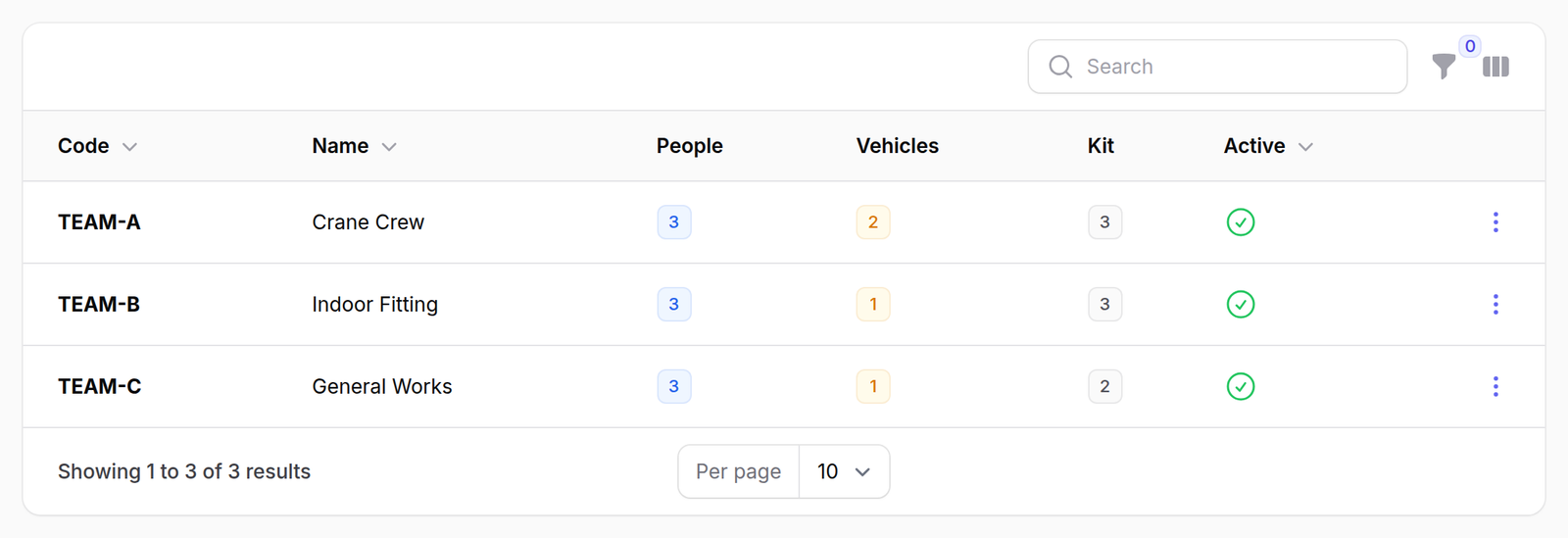
1The teams
Code, name, and three counts — people, vehicles, kit — then whether the team is still in use.
2One team
Its own page, with two tabs:
- People — who is on the crew
- Equipment — what it is holding
A crew member is a name, not a login.
Most of the people who go out have no account in the system. They exist as team members so that “Elias Haddad went out” can be recorded against a trip — see Scheduling a delivery.

3Retiring one
Retire takes a team out of use and asks for a reason. Reinstate brings it back.
Retire; do not delete.
Deleting a team takes its people with it, and those people are named on trips that already happened. There are deliberately no bulk actions on this screen for the same reason.
A retired team keeps its history and stops being offered when booking.
What happens next
The team appears on the delivery board with its kit listed beside its name, so whoever is booking the week can see what each crew can actually do.
Every change here — a team created, a person added or removed, kit moved — is recorded automatically. The screen does not ask; it is written as a consequence of the change.
If it goes wrong
A team is not offered when booking a trip. It has been retired. Reinstate it, or pick another.
Somebody left and their name is still on old trips. It should be. Remove them from the team; the trips they made keep their name, because those are records of what happened.
Retire will not save. It wants a reason.