SNB Production WorkflowGuideMaterial Issue Notes
Material Issue Notes
Material leaving the store for a job — the document that puts a cost against a project.
A Material Issue Note — MIN — records material going out of a warehouse to a particular job. It is the only document in the system that ties stock to a project, which makes it the one that makes project costing true.
Material takes its share of the value with it.
Stock is valued as quantity times unit cost, so an issue written at zero would remove the quantity and none of the money — and the reported value per unit would drift upward forever. The cost is frozen onto the line at the moment the material is taken.
1Open the list
Go to Inventory → Material Issue Notes.
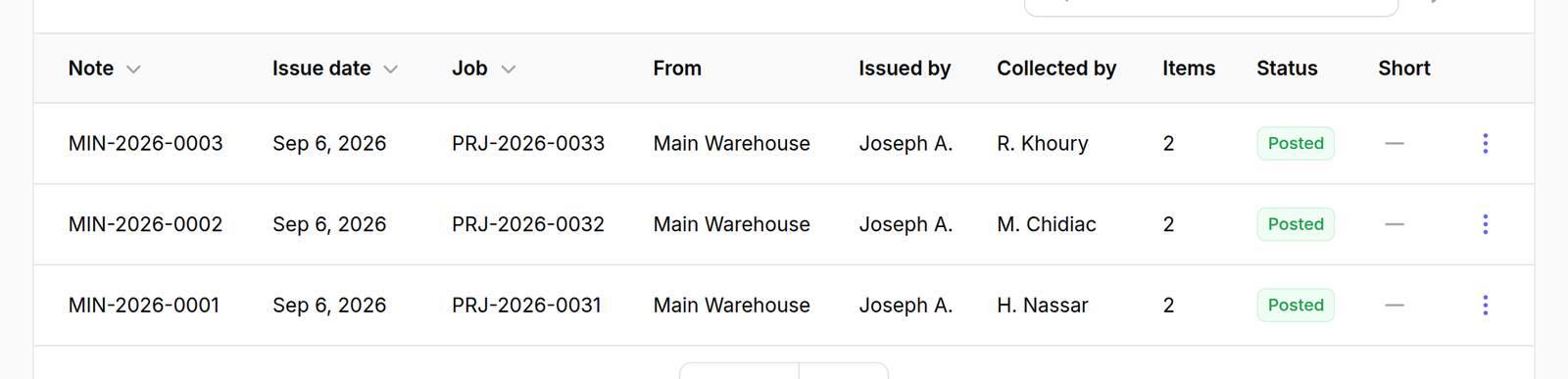
The columns read as the paperwork does:
- Note — the document number,
MIN-and the year - Issue date
- Job — the project number the material went to
- From — the warehouse it left
- Issued by — the storeman
- Collected by — the person who came to fetch it
- Items — how many lines
- Status
- Short — flagged when a line asked for more than the store held
Issued by and Collected by are two different people on purpose: one signs the material out, the other signs for it.
What happens next
Issue Material starts a new note.
A posted note can be cancelled, which returns the material to stock. The note stays on the list — cancelling is recorded, not erased.