SNB Production WorkflowGuideStarting a job
Starting a job
Press START, type your PIN, and the job is yours. This explains what the PIN is for, and why it stops asking.
You need your own PIN. Your supervisor will give you one.
Your PIN is yours. Do not lend it to anybody and do not write it on the wall beside the screen.
Everything you press on this screen is recorded against the person whose PIN was typed. If somebody else uses yours, the record says you did it.
1Find the job and press START
Find the job in the Ready column.
Press START at the bottom of its card.
2Type your PIN
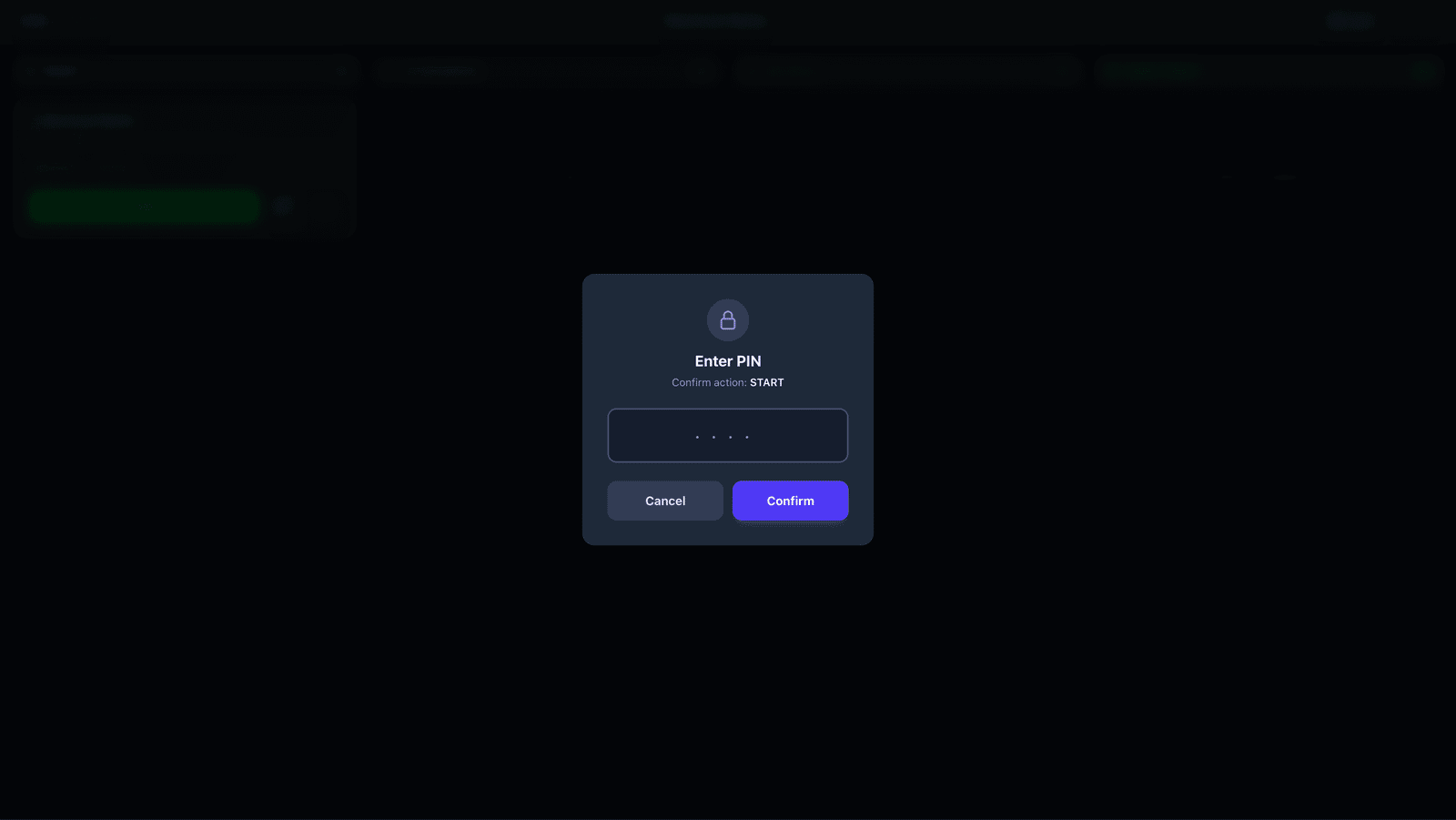
A box appears headed Enter PIN. Underneath it says which action you are confirming — Confirm action: START.
Type your PIN and press Confirm.
The numbers show as dots. That is normal.
If you press the wrong job, press Cancel. Nothing happens.
The screen is on a wall and anybody can walk up to it. It has no way of knowing who you are.
The PIN is how the record says it was you who started this job. That is what makes the time on it your time and the finished work your work.
It is not a password. It will not sign you in to anything else, and it is not the same as an office login.
3The job moves
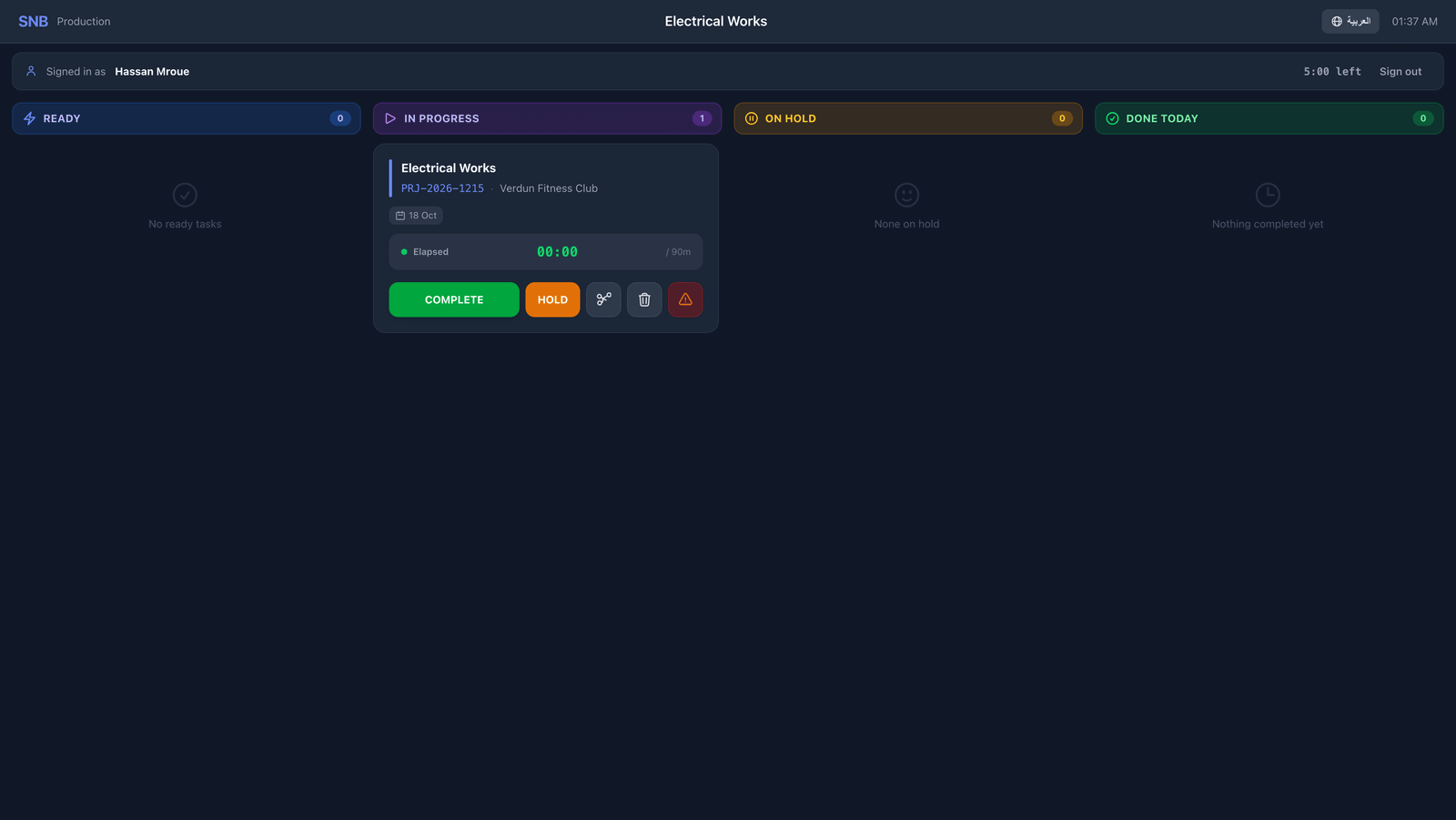
The card moves to the In Progress column.
Its buttons change: COMPLETE and HOLD instead of START.
A green message appears for a few seconds to say it worked, then clears itself.
4It stops asking for your PIN
Along the top of the screen you will now see Signed in as and your name, with a countdown beside it.
For the next few minutes the screen knows it is you. Press COMPLETE or HOLD in that time and it will not ask again.
When the countdown runs out, the next thing you press asks for your PIN and says Your session ended. Please enter your PIN again.
That is the screen explaining itself, not a fault.
If you are stepping away and want it to forget you now, press Sign out.

What happens next
Work on the job.
When you stop for a while, use HOLD. When you finish, use COMPLETE. Both are separate walkthroughs.
If it goes wrong
| What you see | What it means |
|---|---|
| Incorrect PIN | The PIN was typed wrong. Try again, carefully — five wrong tries in a row lock the screen. |
| The screen says your role cannot start this job | Your PIN was right, but your account is not set up to start work. Ask your supervisor. |
| START is dim and there is an amber message | The job has not been approved for production yet. See the next walkthrough. |
| The card did not move | The screen refreshes itself every few seconds. Wait a moment before pressing again. |