SNB Production WorkflowGuideAn Unplanned Visit
An Unplanned Visit
Surveying something nobody booked — four steps, on the phone, standing in front of it.
An unplanned visit is a survey with no request behind it: you are already on site, somebody points at a second sign, and it is easier to record it now than to ring the office.
Press Unplanned visit on My Inspections.
1Step 1 — Customer
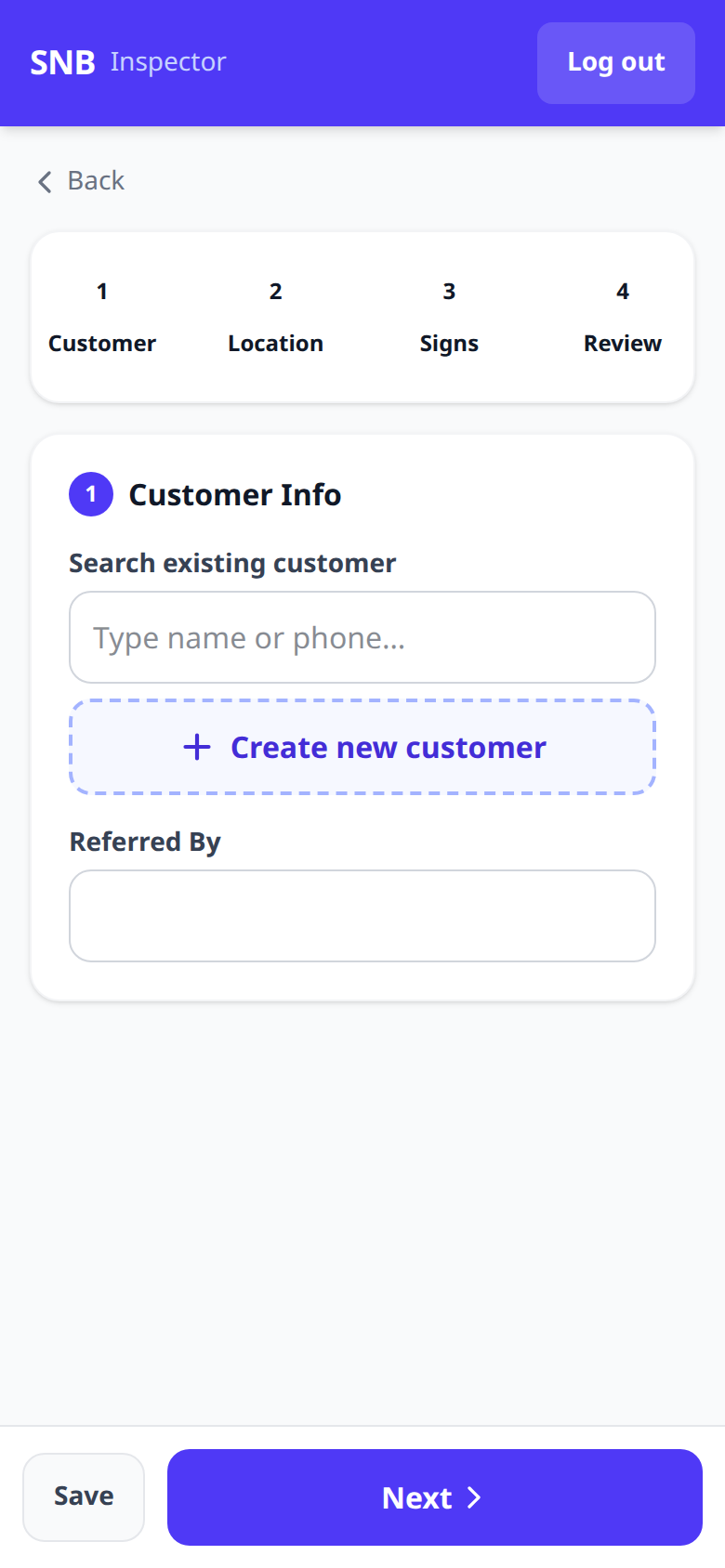
The wizard has four steps, named across the top: Customer, Location, Signs, Review.
Step one offers two ways to say who this is for:
- Search existing customer
- Create new customer
Referred By records who sent the work.
There are two buttons at the bottom: Save and Next.
Save exists on every step, and it is not the same as finishing.
Surveys happen on somebody else’s site, on a phone, often with poor signal. Save puts the visit down as a draft you can pick up later — which is why the Draft status exists on My Inspections, and why abandoning a wizard halfway does not lose the morning’s work.
2Step 2 — Location
Where the sign is.
It may open already filled in. If this customer has been visited before, the address, the GPS fix and the site notes are carried over from the last visit, with a line above them naming which one:
Filled from the last visit to this customer (INS-2026-0004). Change the address, notes or GPS if the sign goes somewhere else.
Only blank fields are filled. An address you have typed or a fix you have captured is never overwritten, and your own site notes win over the old ones.
It is a head start, not an answer. A customer with three branches gets last month’s branch by default, so read it before you move on.
The step buttons along the top of this wizard do not jump ahead — unlike the one on Raise a request, where they do.
Move through this one with Next. Tapping “3 Signs” before step 2 is filled in leaves you where you were, which looks like the screen ignoring you.

What happens next
Signs records what is actually there — the measurements and photographs — and Review is the last look before submitting.
Submitting moves the visit from Draft to Submitted, and it appears on the office’s Inspections list.