SNB Production WorkflowGuideInvoices
Invoices
Billing the customer for work done, and tracking what is still owed.
An invoice bills a customer against a project. Its lines come from the accepted quotation, so what you can bill is what was agreed.
1Open the list
Go to Invoices.
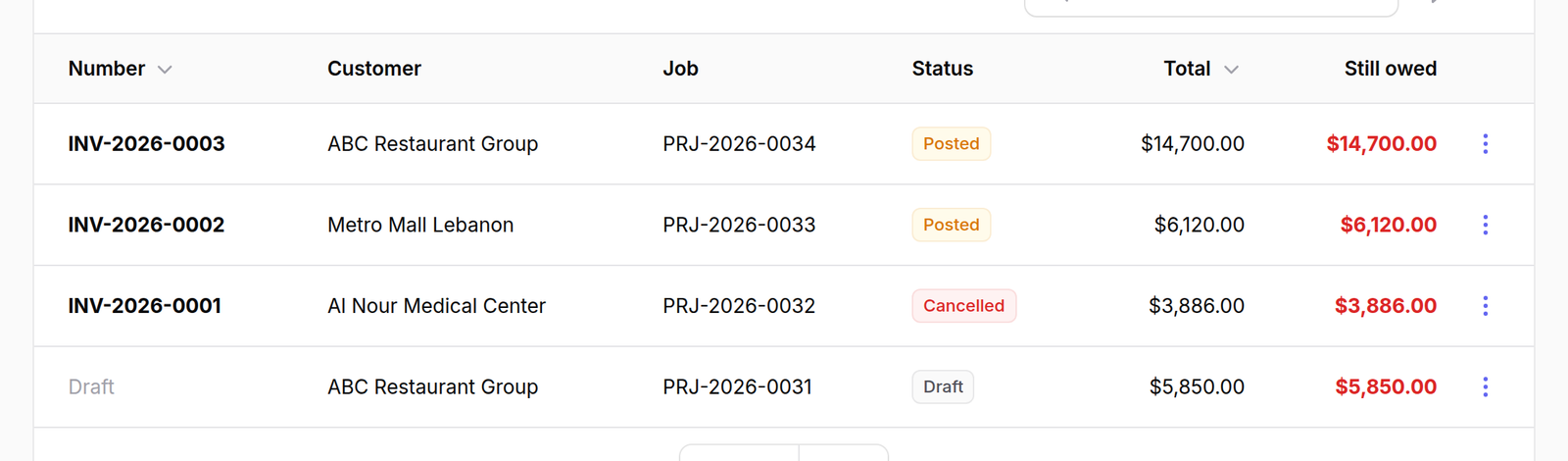
The columns are Number, Customer, Job, Status, Total and Still owed.
Still owed is the figure to scan. It is the total less what has been paid and less anything credited back.
2Raise one
Press New invoice and choose the project.
The lines are drawn from the project’s accepted quotation, and only the quantity not already billed is offered.
A draft invoice counts as billed.
Raising two drafts against one project offers the same quantity twice, and posting both bills the customer twice for the same signs — and the person who finds out is the customer.
A draft nobody intends to post should be deleted, not left sitting.

What happens next
An invoice is raised as a draft, then posted. Posting is what puts it on the customer’s account.
To reverse one, raise a credit note — an invoice is never edited after posting.