SNB Production WorkflowGuidePurchases
Purchases
Buying from a supplier — the document that brings stock in and puts a balance on their account.
A purchase records material bought from a supplier. Posting it does two things at once: it brings the stock into a warehouse, and it puts the amount on that supplier’s balance.
1Open the list
Go to Purchases.
The columns are Document number, PO, Supplier, Warehouse, Document date, Total and Status.
PO marks the document as a purchase order rather than an invoice. Status
is Draft or Posted, and — as everywhere — a draft has brought in nothing.

2Open the form
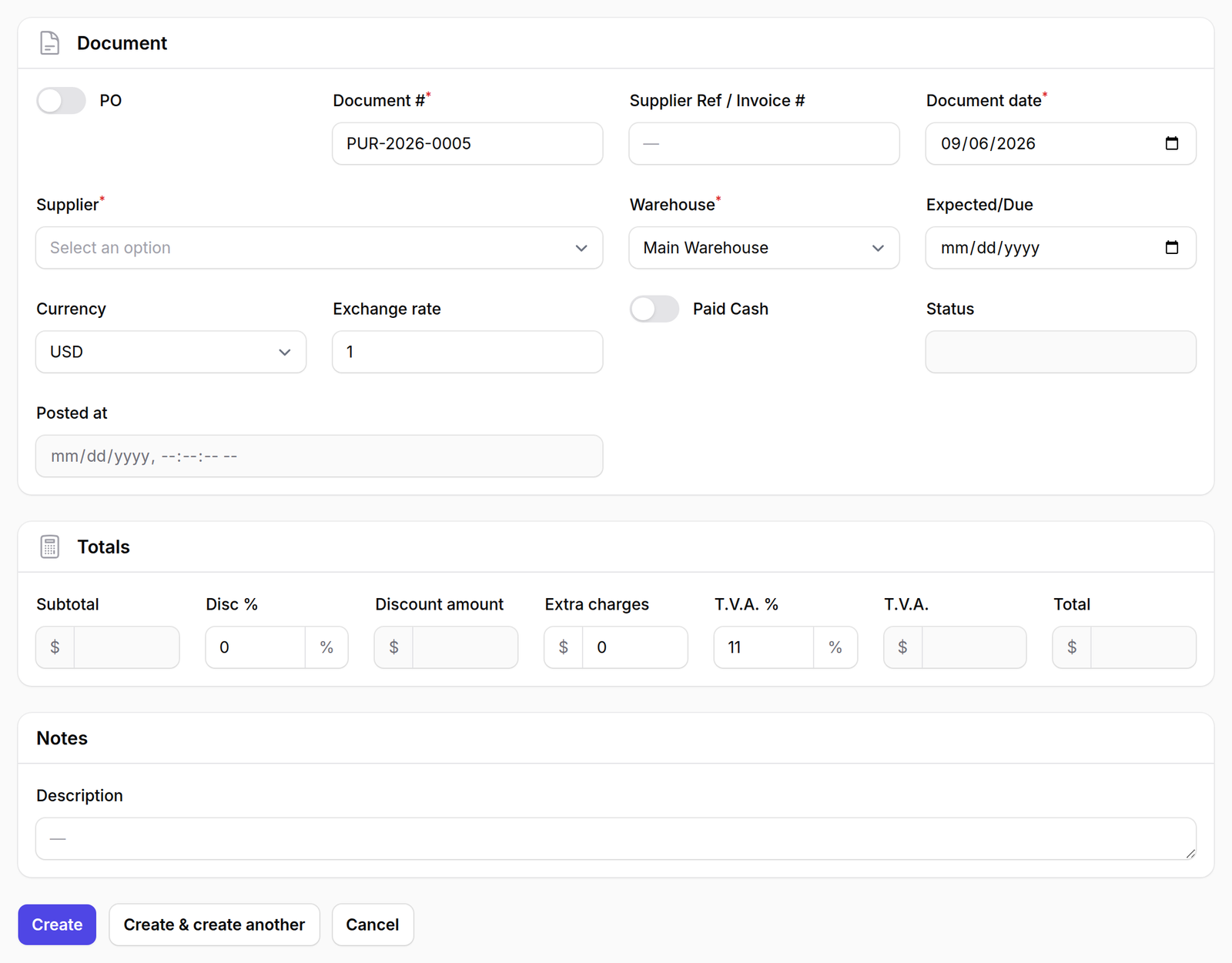
Press New purchase. The form has three panels.
Document holds who and where:
- Document # and Document date — required
- Supplier Ref / Invoice # — the supplier’s own number for it
- Supplier and Warehouse — required
- Expected/Due
- Currency and Exchange rate
- Paid Cash — whether it was settled on the spot
Totals is a calculation, not a set of guesses: Subtotal, Disc %, Discount amount, Extra charges, T.V.A. %, T.V.A. and Total.
Currency and Exchange rate sit on the document rather than on the supplier, because a supplier’s rate on the day you bought is not their rate today.
Freezing it here is what stops last year’s purchases silently re-valuing themselves every time the rate moves.
What happens next
Add the lines, then post it. Posting brings the stock in and writes the supplier ledger entry.
Paid Cash changes what the ledger records, not whether the stock arrives.
A cash purchase posts the payment alongside the invoice, so the supplier balance returns to zero. Leave it off and the amount stays owed — which is correct for anything bought on credit, and wrong for anything already paid at the counter.